Base Cover

|
No Answers 0 Score |
Graphics card not detected in bios or windows |
|
No Answers 0 Score |
Need SATA cable to add SATA drive. Purchased cable that does not fit |
|
1 Answer 0 Score |
Touchscreen not working, touch screen wire burnt |
9530
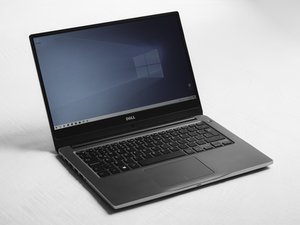
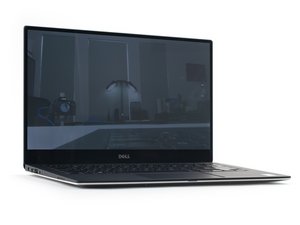
Released in October 2013, The Dell XPS 15 9530 laptop is aimed for those with a desire for a high resolution 4K display, and a responsive touch screen. The XPS 15 9530 was released to be a competitor of the 2012 Apple MacBook Pro 15-inch. It boasts above the MacBook with its touchscreen capabilities, and matte-black soft touch coating on the inside of the laptop. The outside is comprised of silver aluminium, akin to Apple, but Dell took another note from Apple, making the laptop user-accessibility unfriendly, using M2 torx screws on the bottom of the chassis. This model, the 9530, is part of the XPS 15 line of laptops, and the model is identified by a label on the underside of the laptop under the silver access flap.
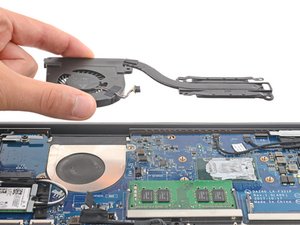
However, the bottom cover is the hardest obstacle to overcome. Once inside, the laptop’s RAM, battery, and hard drive are all easily accessible on the main board held in by clips or simple Phillip head screws.
Having trouble with your Dell XPS? Refer to Dell XPS 15 9530 Troubleshooting
Dell XPS 15 9530 Setup and Specifications
Dell XPS 15 9530 Konfiguration og specifikationer
Dell XPS 15 9530 Setup and Specifications
Dell XPS 15 9530 Installatie en specificaties
Dell XPS 15 Quick Start Guide (EN, PL, RU, TR)
Dell XPS 15 9530 Service Manual
Dell XPS 15 9530 External Display Connection Guide
Dell XPS 15 Quick Start Guide (EN, DA, FI, NO, SV)
Dell XPS 15 Quick Start Guide (EN, NL, FR, PT, ES)
XPS 15 9530 Kullanıcı El Kitabı
Dell XPS 15 9530 Service Manual
Dell XPS 15 9530 Kezelési kézikönyv
Dell XPS 15 Quick Start Guide (EN, ZH, JA, KO)
Dell XPS 15 9530 Brugerhåndbog
Dell XPS 15 9530 Manuel du propriétaire
XPS 15 9530 Manual do proprietário
Past 24 Hours: 7
Past 7 Days: 56
Past 30 Days: 188
All Time: 11,893