Battery
|
1 Answer 0 Score |
How do I replace the Keyboard |
|
1 Answer 0 Score |
How do I replace the Touchpad |
|
1 Answer 0 Score |
No power, not charging |
The Dell Latitude 3440 Laptop (Exx40) was a part of Dell’s Latitude series. This model was released in 2013 and succeeded the Vostro series as an entry-level business laptop. This model used 4th-generation Intel processors and was originally sold for around $600–$700 for the base configuration.
The Latitude 3440 Laptop featured a 14” display and a resolution of 1366x768, suited for use in well-lit environments due to its matte screen. The laptop was 25 mm thick and weighed 2.1 kg, with a chassis made of plastic. The device could be connected to external devices through USB ports, a VGA port, and an Ethernet port. However, this model did not include an HDMI port. This model also offered wireless connection options and was equipped with a DVD drive.
The Dell Latitude 3440 Laptop came with a memory selection ranging from 2GB to 8GB and CPU options of i3, i5, and i7. There were no major recalls or widespread manufacturing failures reported. The Latitude 3440 was often praised for its battery life, keyboard functionality, and touchpad responsiveness. Dell eventually stopped manufacturing this version of the Latitude, and in 2023 the company released a redesigned Latitude 3440 featuring a 13th-generation CPU.
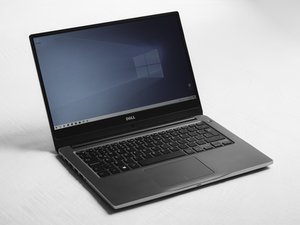
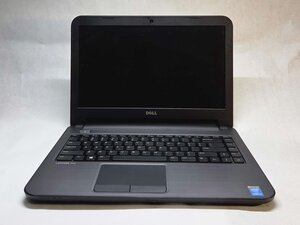
The Dell latitude 3440 is a 14-inch laptop first released in 2013. It can be identified by the model label on the bottom cover, which lists “Latitude 3440” along with a service tag and express service code sticker.
The 2013 Latitude 3440 differs from the newer 2023 model with the same name. The older version has a thicker chassis, an optical drive, and uses 4th-generation intel processors. Users should confirm these features before using the guide to ensure compatibility.
This model is distinguished by several physical features unique to the 2013 version, including a built-in DVD-RW optical drive, a removable battery, and a Windows 8 product key sticker. The laptop includes two USB ports on the left side, an HDMI port, Ethernet port, an SD card slot, and a battery that can be released using two sliding latches on the rear edge.
CPU: 4th generation i3, i5, or i7
GPU:
Integrated: Intel HD 4400 Graphics
Discrete: NVIDIA GeForce GT740M (2GB DDR3)
Memory: 2 GB, 4 GB, 6 GB, and 8 GB (DDR3)
Storage: 5400 rpm 500 GB Hard Drive
Screen:
Size: 14 inch
Resolution: 1366 x 768 pixels
Brightness: 200 nits
Refresh rate: 60 Hz
Battery: 40 Whr
Ports:
Audio: 1 Combo Headphone & Microphone 3.5mm jack
Video: 1 19-pin VGA Port
Network: 1 RJ45 Port
USB: 2 USB 3.0, 1 USB 2.0
Media Card: 1 4-in-1 Slot
Audio: 2 X 2W speakers
Camera:
Resolution: 1280 x 720 pixels
Frame rate: 30 fps
Viewing Angle: 66 degrees
Communication:
LAN: 10/100/1000 Mbps Ethernet LAN on Motherboard (LOM)
Wifi: Wi-fi 802.11 b/g/n
The following resources provide detailed specifications, diagrams, and support information for the 2013 Dell Latitude 3440:
Dell Latitude 3440/3540 Asennus- ja ominaisuustiedot
Dell Latitude 3440/3540 Informasjon om oppsett og funksjoner
Dell Latitude 3440 Panduan Pemilik Komputer
Dell Latitude 3440 دلیل المالك
Dell Latitude 3440/3540 Oplysninger om installation og funktioner
Dell Latitude 3440/3540 — Informace o instalaci a funkcích
Dell Latitude 3440/3540 Informaţii despre configurare şi funcţii
Dell Latitude 3440 Manual del propietario
Dell Latitude 3440 Gebruiksaanwijzing
Dell Latitude 3440 Uporabniški priročnik
Dell Latitude 3440/3540 Informazioni sulla configurazione e sulle funzionalità
Dell Latitude 3440 Príručka majiteľa
Dell Latitude 3440 Manual do proprietário
Dell Latitude 3440 Benutzerhandbuch
Dell Latitude 3440/3540 Information om installation och funktioner
Dell Latitude 3440/3540 Informationen zu Setup und Funktionen
Dell Latitude 3440 Omistajan opas
Dell Latitude 3440 Kullanıcı El Kitabı
Dell Latitude 3440 Korisnički priručnik
Dell Latitude 3440/3540 Az üzembe helyezésre és a funkciókra vonatkozó információk
Dell Latitude 3440 Podręcznik użytkownika
Dell Latitude 3440 Manualul proprietarului
Dell Latitude 3440 Руководство по эксплуатации
Dell Latitude 3440 Kezelési kézikönyv
Dell Latitude 3440 Εγχειρίδιο κατόχου
Dell Latitude 3440 Brugervejledning
Dell Latitude 3440 Manual do proprietário
Dell Latitude 3000 Series 14-inch 3440 and 15-inch 3540 Technical Guidebook
Dell Latitude 3440 Owner's Manual
Dell Latitude 3440 Owner's Manual
Dell Latitude 3440 Ägarens handbok
Dell Latitude 3440 Manuel du propriétaire
Dell Latitude 3440/3540 Informatie over installatie en functies
Dell Latitude 3440 Brukerhåndbok
Dell Latitude 3440 Manuale del proprietario
Past 24 Hours: 3
Past 7 Days: 20
Past 30 Days: 91
All Time: 1,783