Student-Contributed Wiki
An awesome team of students from our education program made this wiki.
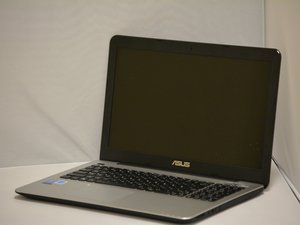
My laptop won't turn on
I can't turn my laptop on no matter which button I push
Dead battery
The battery could have died and needs to be charged before powering on your device. First, connect the power adapter to a wall outlet or surge protector and round power pin to the laptop.
Bad battery
The battery may be non functional and in need of replacement. You will need a new battery before your device will power on.Asus X555LA-SI305041 Battery Replacement
Laptop shuts itself off
Dead battery
The battery could have died and needs to be charged before powering on your device. First, connect the power adapter to a wall outlet or surge protector and round power pin to the laptop.
Laptop overheating
If laptop is overheating make sure all vents are free to breathe during usage. Check to see if your CPU is running at 100% usage. This can cause the components to run hotter than usual.
Broken fan
If you're not noticing fan noise and device becomes hot after a few minutes then your fan may be broken or obstructed.
No sound coming from laptop
Mute button is on
Press the F10 key of your keyboard and there should be an on screen dialogue box showing whether or not mute is on/off. In order to determine if volume is too low to hear, hit the F12 key to increase the volume of your device.
Device is plugged into the headphone jack
Make sure to disconnect headphones or other audio device from headphone jack to restore speaker audio. Also make sure that nothing is plugged into the HDMI port.
Camera doesn't work on laptop
Camera driver or software is not properly installed
Make sure your webcam software is installed and that it is installed correctly.
If this doesn't work try uninstalling your current software and reinstalling.
Broken or cracked webcam
If after checking installations your camera still doesn't work, it is likely broken and in need of replacement.
Sticky or dysfunctional keys
No keys are responding on laptop
Your keyboard may be broken or disconnected and need replacing.Asus X555LA-SI305041 Keyboard Assembly Replacement
Keys are difficult to press or can't be pressed
When your keys are difficult to press or can't be pressed there may be something underneath the key blocking it from registering. To fix this, remove the key and check to see that nothing is underneath it. Wipe the area clean and replace the key.
Laptop won't read CD's or DVD's
Optical drive on laptop will not respond
If optical drive will not read CD's or DVD's or will not open, it may be broken and need replaced.Asus X555LA-SI305041 CD Drive Replacement
Screen won't turn on
Display is turned off or too dark
If display won't turn on press Fn+F7, this should toggle the display off and on. If display is not turned off in the software you can turn the brightness up using Fn+F6.
Display is broken
To check if the screen is broken try plugging an HDMI or VGA into the video out ports and into an external monitor. If the external monitor displays properly then your laptop's display may be broken and needs replacement.

Team

Eastern Washington University, Team 1-1, Matresse Fall 2015 Member of Eastern Washington University, Team 1-1, Matresse Fall 2015
EWU-MATRESSE-F15S1G1
4 Members
60 Guides authored

6 Comments
Bad experience with that model.
My notebook can't be started and stopped completely.
The power and airplane mode leds are always on..
Mahmoud Kafafy - Reply Share
My laptop opens in the BIOS set up page. I have tried various things and wound up on a black screen about reboot and asking for a key. I changed everything back. Then when ever I changed the BOOT, it would restart itself and bring up the BIOS page again. I am unsure what else to do.
kblackmeriden - Reply Share
My display is only visible when the power supply is connected. If I unplug the power cord, the screen goes black but the computer is still on and operating. I just can’t see anything I type or do until I plug in the power supply.
Tom Medley - Reply Share
Laptop was working fine until I plugged it into husband’s laptop via usb to try and move some files. Laptop shutoff immediately and now will not power up or battery charge indicator light.
Jennifer Cripe - Reply Share
Hi. I have this model and no video out. No vga, no hdmi .i open and i see that motherboard video place is corroit . Needs a new motherboard.Carlos Jesus - Reply Share