
Disassembling the Teac DC-D2831

Jake Hamilton and 6 other contributors
Last updated on May 7, 2024
Views: 5.7K
View statistics:
- Past 24 Hours:
- 2
- Past 7 Days:
- 26
- Past 30 Days:
- 115
- All Time:
- 5,688
Comments: 3
3 guide comments.
Go to guide commentsCompleted: 3 4
3 people have marked this guide "completed." Will you be next?
4 people have marked this guide "completed." Including you — great job!
Favorites: 3 4
3 people have favorited (and subscribed to) this guide. Will you be next?
4 people have favorited (and subscribed to) this guide — including you!
Action Shots
Be an action hero! This guide needs images that better demonstrate how to perform specific actions.
Introduction
Go to step 1 ↓This will walk you through the steps necessary to access crucial parts inside the Teac DC-D2831, to make adjustments or repairs. Electronics are delicate, so be sure to take caution when making modifications and during reassembly. Needle nose pliers are a must for removing the snap ring!
Before beginning this repair, turn off your stereo and unplug it from the power outlet.
What you need

-
-
Tool used on this step:Tweezers$4.99
-
Lift the lid to get to the turntable.
-
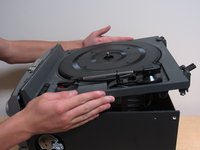
Using the appropriate tools (needle-nose pliers, tweezers, screwdriver, etc.), remove the snap ring from the center of the turntable. The snap-ring is the small metal ring around the axel of the turntable.
-
-
-
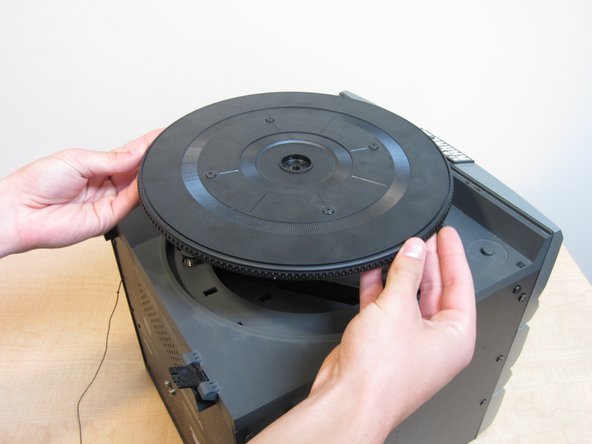
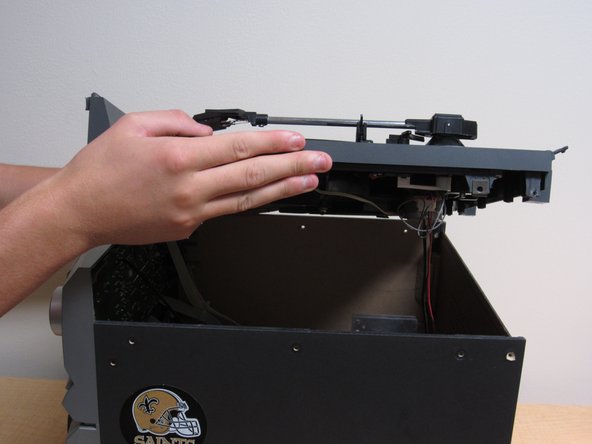
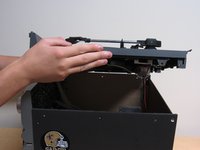
Gently lift the turntable from the rest of the device.
-
If the device has a faulty belt, see the belt repair guide here: Belt Repair Guide
-
-
-
Remove the screws on the side of the device using a Phillips #2 screwdriver.
-
When removing the screws, take note of which screws go where.
-
27.0mm
-
19.8mm
-
12.0mm
-
-
-
-
If the device is having motor issues, continue here: Motor Repair Guide.
-
If the device is having issues with the display, continue here: Volume Control Knob.
-

 Ask FixBot





To reassemble your device, follow these instructions in reverse order.
Cancel: I did not complete this guide.
3 other people completed this guide.

Team

Cal Poly, Team 2-61, Propen Fall 2012 Member of Cal Poly, Team 2-61, Propen Fall 2012
CPSU-PROPEN-F12S2G61
4 Members
60 Guides authored
3 Guide Comments
How to remove lid from CD-D2831
So radio sound and tape work and sound is great. However when turn table is on the sound is low only on that component any help would be greatly appreciated
