Free Shipping on Domestic Orders $75+

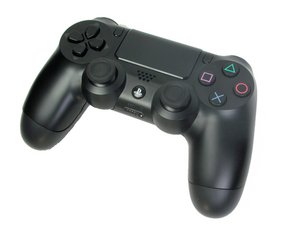
PS4 Controller model CUH-ZCT1. Released in November 2013 by Sony Computer Entertainment, this six-axis, 3.7 V lithium ion battery controller is uncomplicated to repair. (NOTE: Teardown guide is NOT for this model)

PS4 controller not working after replacing battery

I replaced the battery on my PS4 controller. I followed directions online but did a $@$*!& job and broke a bunch of clips, but it still holds together with all the screw in.

The PS button wasn't working so I did a reset with the little button on the back, then it paired. I'm at the user select screen. Analog stick works but d-pad does nothing (not sure if it should do anything here). X and O (only options given for keypresses on that screen) do not work at all. What could I have messed up here?

Answer this question I have this problem too

Is this a good question?

Score 0
Add a comment

1 Answer

Most Helpful Answer

Hi!

Is it possible for you to upload some pictures regarding inside the controller?

My bet goes to the button membrane circuit!

Please clean it with isopropyl alcohol also where it connects on the motherboard (and the motherboard side as well).

Guide: DualShock 4 (CUH-ZCT1U) Button Circuit Membrane Replacement

If that doesn’t work, you might need to replace it.

Be aware: there are many different models out there, so, make sure you get the EXACT same one as the original is.

Please keep us posted how it goes! Thanks!

Was this answer helpful?

Score 1
Add a comment

Add your answer

Steam Cheap will be eternally grateful.
View Statistics:

Past 24 Hours: 1

Past 7 Days: 24

Past 30 Days: 36

All Time: 36