Free Shipping on Domestic Orders $75+

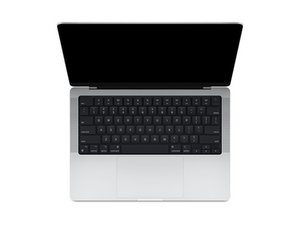
Repair guides and disassembly information for the 14-inch MacBook Pro released in October of 2021, featuring Apple-designed M1 Pro and M1 Max SoCs. Model A2442.

14-inch MacBook Pro display: Staingate issue

Hi everyone,

I am noticing an issue with the display on my 14-inch MacBook Pro (Model A2442). There is a subtle but noticeable color shift happening across the screen. When viewing a pure white background, the affected areas look off-white/grayish. On dark backgrounds, there are permanent "smudge" marks that do not wipe away with a microfiber cloth.

It looks like the anti-reflective coating is failing or peeling (Staingate)?

Has anyone successfully stripped the coating on this specific 14-inch model without damaging the Mini-LED backlight or glass?

Any insights or advice would be greatly appreciated!

Block Image
Block Image
Answer this question I have this problem too

Is this a good question?

Score 0
Add a comment

1 Answer

Most Helpful Answer

Not sure if this will help MacBook Pro Retina Display Anti-Glare Coating Clean Up Technique but it appears to me the anti-glare coating is peeling off.

Was this answer helpful?

Score 1

2 Comments:

Sadly the newer displays have a harder coating so be careful as applying to much pressure will damage the display and you do want to mask off the glass as you don't want the cleaner to seep under the edge.

The only other solution is replacing the display assembly.

by

@danj Yes, thanks for the confirmation Dan, I wasn't 100% sure as my technique works fine on the older retinas displays, hence I initially left just a comment.

by

Add a comment

Add your answer

rustu nur ilham will be eternally grateful.
View Statistics:

Past 24 Hours: 1

Past 7 Days: 3

Past 30 Days: 21

All Time: 72