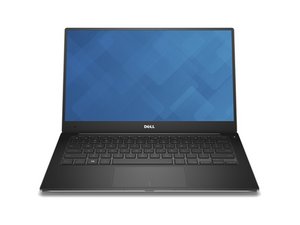
The 9360 is too old for win11 so this will dictate some of my answer, but it's technically only non compliant because 7th gen Intel lacks HW VBS. Do with this what you will.
First off, try to boot it into a live Linux distro -- USB Installation Media Creation (Rufus) and see. If the issue still occurs, the laptop has a bad motherboard, iDP cable or LCD. Hook it up to an external display, as long as it only happens on the laptop you are fine and the panel is bad. Panels will total out these non compliant laptops, look for a newer machine unless you get it really cheap and intend to install Linux.
These also support Dell's LCD BIST, you can trigger it by holding D and seeing if it properly cycles, or run Dell diagnostics from the F12 option, and do a through test on the LCD.
If it does not, we know the OS install is bad. Seeing as you got it used with a old OS, I would ask your sister if she needs anything from it (as long as she did not use Bitlocker, it can be done from Linux, otherwise you need KonBoot -- https://kon-boot.com/ -- the net user trick died with Win11 permanently unless you swap out something to run CLI at the lock screen, but it might still work on this if it's old enough to predate software VBS in WinRE so do not count on using net user in 10 OR 11), and wipe it if not or she got everything she needs. This will not officially run 11, but you can bypass the CPU check with an autounattend or Rufus: Windows 10/11 - USB Installation Media Creation (Rufus) -- if you go the autounattend route, you will need to write one yourself or find a script which will write one and apply the CPU check bypass (as well as the MSA bypass).


 461
461  348
348  191
191 

