
 1
1 Ghost clicks on trackpad
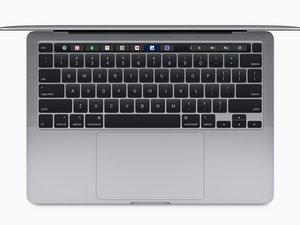
I have a 2020 Macbook Pro 13" A2338 with a ghosting trackpad. I brought it as is, the previous owner said the trackpad would work for a little and then stop, which I confirmed. I brought a replacement trackpad from a reputable seller and a new flex cable.
I installed the new flex cable and trackpad, but I still have a sticky laggy trackpad. Running the Apple diagnostics I see the below:

Using the new flex cable on either the old or new pad gives the result seen above. So the two options really are, I damaged the flex cable and both trackpads actually work fine, or the port the flex cable plugs into the motherboard is damaged. Looking at the flex cable I think it's fine?

And the the port on the MB I can see I think two pins that either have something on them or maybe damage?

Looking for ideas, I am thinking to maybe go back to the parts supplier and ask for another flex cable, but I have a funny feeling it's the port. Open to suggestions.
Is this a good question?

 347
347  977
977 
