
Free Shipping on Domestic Orders $75+

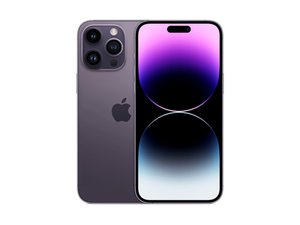
Apple's top-of-the-line flagship for 2022. Released September 16th, the iPhone 14 Pro Max sports a 6.7" ProMotion OLED, the new Bionic A16 chip, a triple rear camera system, and 5G connectivity. Successor to the iPhone 13 Pro Max.

Why is my screen flickering after recent update?

Screen Flickers every time while closing apps

Answer this question I have this problem too

Is this a good question?

Score 0
Add a comment

1 Answer

If your iPhone 14 Pro screen is flickering after a recent update, ******it’s most likely due to a software glitch related to the update, but there are a few other possible causes too. Here’s a clear breakdown of why this happens and what you can do about it:

  1. Software bugs from the update;
  2. Display features interacting strangely with the new software;
  3. Incompatible or unoptimized apps;
  4. System background processes;
  5. Rare hardware triggers

Things that usually fix it:

  1. Restart the phone (sounds basic, but it helps more than you’d think).
  2. Check for another iOS update — Apple often releases quick bug-fix updates.
  3. Go to Settings → Display & Brightness and try turning True Tone off.
  4. Go to Settings → Accessibility → Display & Text Size and turn Auto-Brightness off.
  5. If it happens only in certain apps, update or delete those apps.

When to worry:

  • The flicker is constant, even on the lock screen
  • You see lines, green flashes, or blackouts
  • It started after a drop, water exposure, or screen replacement

In those cases, it could be a hardware issue and worth having Apple check it.

Was this answer helpful?

Score 0
Add a comment

Add your answer

Araf will be eternally grateful.
View Statistics:

Past 24 Hours: 0

Past 7 Days: 22

Past 30 Days: 87

All Time: 448
