Free Shipping on Domestic Orders $75+

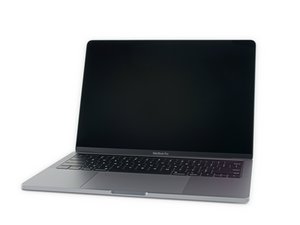
Model A2159, EMC 3301. A refresh of the entry-level 13" MacBook Pro. Available in Silver and Space Gray. Released July 2019.

MacBook Pro A2159 lcd flex cable replacement guide

I am unable to find a guide on how to replace just this cable on the macbook pro 2019 A2159. I see plenty of people reppacing the whole screen or the backlight cable. But I am completely unable to find one about replacing just the flex cable.

Block Image

The macbook displays colours weirdly. And i have figured out its because a piece of dirt has punctured the flex ribbon cable. So i would like to just replace the cable instead of having to replace the entire lcd.

This is the cable I want to replace.

My question, I guess, is if someone has a guide on how to replace just that cable.

Answer this question I have this problem too

Is this a good question?

Score 0
Add a comment

2 Answers

There is a point we just can’t get to as our skills and available tools prevent us, sadly this is one of those spaces.

Think of it this way your loved one has a brain cancer who would you allow to do the surgery? Your family doctor or someone who specializes in brain surgery? Clearly the specialist will have a better outcome in the surgery!

This is the same case here. You will have a hard time just opening the display assembly just to gain access to the bonded ribbon cables to the glass LCD panel and you don’t have the tools to properly remove the cables without lifting the Metal Oxide pads the cable needs to bond with, if that was the issue.

In this case the chroma effect you see is not the ribbon cables it’s a defect in the T-CON logic which is that small logic board hanging from the display that the LCD, backlight & camera ribbon cables attach to.

Sadly you need a new display assembly.

Here’s one source TheBookYard UK you need a used display assembly a new display bought from China won’t have the firmware loaded so the camera won’t work. Lastly here’s the guide to put in on MacBook Pro 13" Two Thunderbolt Ports 2019 Display Assembly Replacement

Was this answer helpful?

Score 0

6 Comments:

Thanks for the answer. I know what you mean. But i would much rather try and fail replacing the cable than just not trying. And it for sure is the cable, as the effect stops when i dont have the screen open more than 20 degrees. And also the fact that there is a literal hole in the cable haha.

I also have no attachment to this laptop as i bought it broken to practice fixing issues like this.

by

@cjb2811 - Flex issue is where the tension is applied to the T-CON board or the solder joints within it. Read up on how a LCD TV works, to get a better idea on why the issue is not the cable or the LCD as the LCD driver logic is within the T-CON board, the cable merely drives the X and Y lines of the LCD.

by

If nobody has a guide anywhere for a particular repair it's most likely because it's too difficult to do. I thought about your idea before but I never attempted it. I have however tried to separate the screen assembly on a MacBook Pro and cracked it almost immediately.

Maybe you should try removing the glass first before moving forward with the cable repair.

by

@staceydavis - there is no cover glass in this series it's a bonded LCD panel to the front glass. The older unibody systems have an independent cover glass.

by

Hi,

I'm late to the party, but there a guide, a video guide for this very precise repair. It's not an easy repair but it's feasible. Did you managed to fix your problem? If not, here's the link to the video I'm talking about.

Good luck.

https://youtu.be/ySbkuOZO-8w

by

Show 1 more comment

Add a comment

Hi,

There is a guide on YouTube - MacBook Pro A2159 A1708 A1706 A1989 DustGate issue, A new repair method, I had to search as well, as I'm trying this right now.

Kind regards from Germany,

Niklas Lyssi

Was this answer helpful?

Score 0

1 Comment:

@niklaslyssi - Well... that is a useful vid, but as you can see the issue it fixes it the banding and image artifacts. The the issue here which is a chroma shift across the entire screen.

There's a bit of incorrect info as it's only the grit (sand) or hard crumbs which punches into the lines (those dimples) not your dander (loose skin cells). Even still bi-yearly cleaning is a great way to prevent damage if you have a lot of grit flying around.

I would hold off on the thermal paste what we had years ago is not the same to what we have now. For most 4~5 years is all that's needed.

by

Add a comment

Add your answer

Cam will be eternally grateful.
View Statistics:

Past 24 Hours: 5

Past 7 Days: 29

Past 30 Days: 122

All Time: 1,701
