Hi Jayson,
I think you're right about removing that black sticker. Don't feel bad, I doubt I'd have thought to remove it myself since it doesn't at first glance look like just a protective sheet. Here's my reasoning for agreeing with you.
First of all, I had to do some digging to figure out just exactly where the proximity sensor is on your phone. I found a teardown video that shows the guy pointing to exactly where it peeks through the display. Here's a screenshot from the video here.
Google Pixel 8 Teardown Disassembly Repair Video Review - YouTube
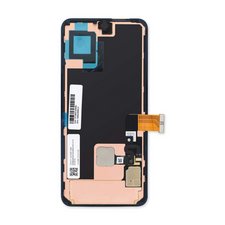
The pry tool is pointing to the viewport for the proximity sensor. Here's what the replacement screen looks like out of the box.
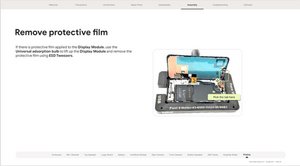
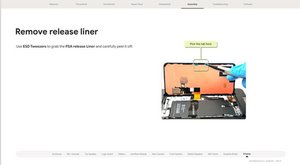
So yeah, it looks to me that the large black sticker is covering the proximity sensor viewport, rendering it unusable. Unfortunately it looks like you're going to have to open it back up again to take that stupid sticker off. Here's the part of their guide showing when you assemble the display to the phone.
Sorry you had to learn that the hard way, dang it. I'd suggest preordering some more display adhesive before you open it back up.
Hopefully that's all it'll take to get you going again! Let us know how it turns out.


 3
3  3
3 
 156
156 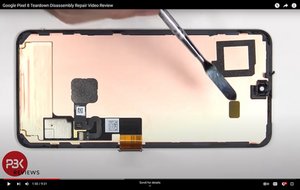


3 Comments
Could it be that I was supposed to remove one of those black stickers at the back of the genuine part?
by jayson parker
Directions did not state to remove the black screen. Company should replace my screen now. I would not trust these instructions ever again.
by Anthony C
@anthonyc12926 I dunno, Anthony; Step 22 specifically says,
"Use the pull tabs to remove the liners covering the front camera cutout, the rear camera pad, the back of the screen, and the perimeter adhesive."
And Step 21 clearly shows the back side of the screen without that big black sheet. I'm afraid this one's on you.
by Jerry Wheeler