Successful replacement of optical drive by 1To HDD
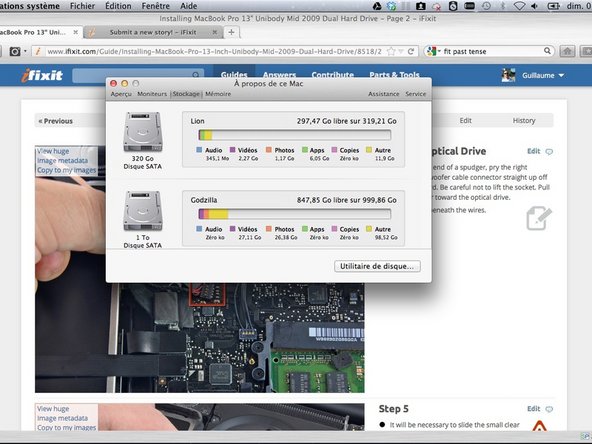


My Problem
I needed more space Dude !
My Fix
The repair went well. Standalone Spudger and Phillips #00 Screwdriver are mandatory but Pro Tech Toolkit came in handy particularly when I needed to pick up screws fallen in tiny spaces of my MacBook Pro.
To my suprise, the cable attached to the optical device was rather short.
My new HDD (standard form factor 2.5 inches 5400 RPM) fitted in drive enclosure perfectly. Don't forget to use provided screws to keep it in place.
Drive enclosure required only two screws compared to optical drive (which needed three).
My Advice
Proceed very very carefully when unplugging the cables if it's your first time opening your Mac (like it was for me).
In step 5, the little black glossy square highlighted in a red can be removed in order to safely pull out the connector.


0 Comments