Free Shipping on Domestic Orders $75+

Turtle Beach Recon 70P Speakers Replacement

What you need

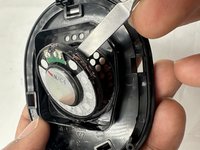
  1. Turtle Beach Recon 70P Speakers Replacement, Speaker: step 1, image 1 of 3 Turtle Beach Recon 70P Speakers Replacement, Speaker: step 1, image 2 of 3 Turtle Beach Recon 70P Speakers Replacement, Speaker: step 1, image 3 of 3
    • Before continuing, remove the ear pad(s) from the nonfunctional speaker(s) following the earpad replacement guide.

    • Use a spudger to pry up and remove the black plastic cover.

  2. Turtle Beach Recon 70P Speakers Replacement: step 2, image 1 of 2 Turtle Beach Recon 70P Speakers Replacement: step 2, image 2 of 2
    • Use flush cutters to cut the wires as close to the speaker connections as possible.

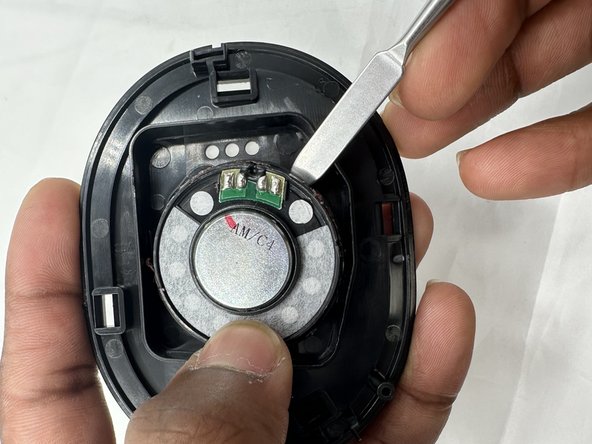
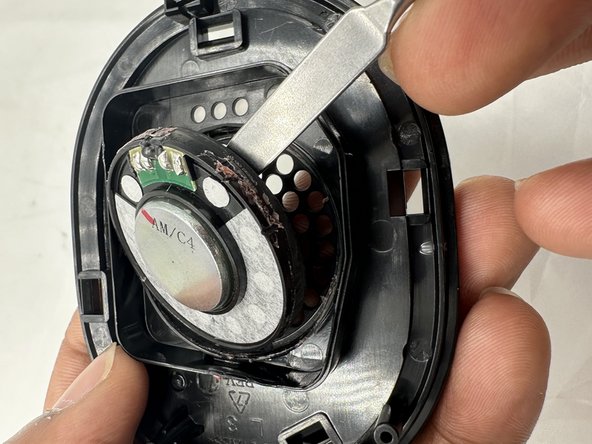
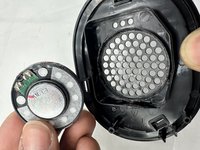
  3. Turtle Beach Recon 70P Speakers Replacement: step 3, image 1 of 3 Turtle Beach Recon 70P Speakers Replacement: step 3, image 2 of 3 Turtle Beach Recon 70P Speakers Replacement: step 3, image 3 of 3
    • Use a spudger to pry the speaker out of its housing.

    • The speaker is attached to the housing with adhesive, so moderate force may be necessary to pry it out of place..

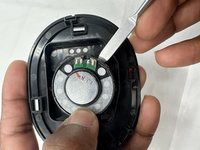
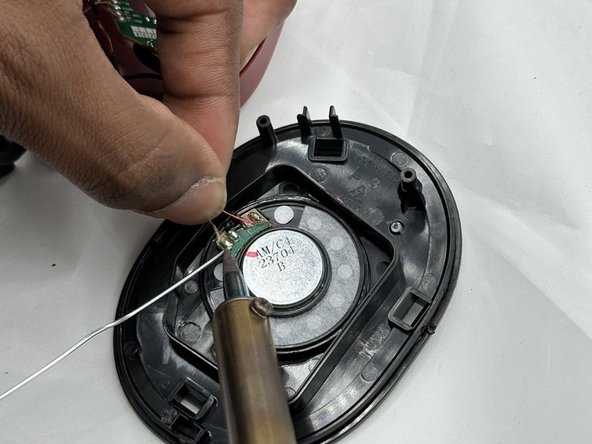
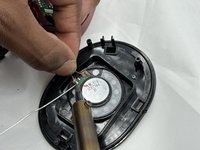
  4. Turtle Beach Recon 70P Speakers Replacement: step 4, image 1 of 2 Turtle Beach Recon 70P Speakers Replacement: step 4, image 2 of 2
    • Insert the new speaker into the plastic housing, sealing it in place with glue or tape.

    • Solder the wires in the order they were previously found.

Conclusion

To reassemble your device, follow these instructions in reverse order.

One other person completed this guide.

0 Guide Comments

Add Comment

View Statistics:

Past 24 Hours: 5

Past 7 Days: 13

Past 30 Days: 55

All Time: 665