Introduction
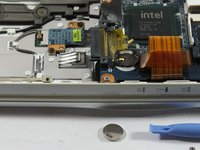
This guide will aid readers to replace BIOS Battery of the device when the BIOS Battery dead.
What you need
-
-
-
Follow Sony VAIO PCG-3E2L Battery Replacement to the device to remove the battery
-
Follow Sony VAIO PCG-3E2L Hard Drive Replacement to remove the Hard Drive.
-
Follow Sony VAIO PCG-3E2L CD Drive Replacement to remove the CD Drive
-
Follow Sony VAIO PCG-3E2L RAM Replacement to remove memory cover.
 Ask FixBot
-
-
-


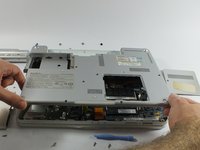
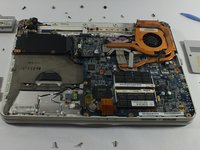


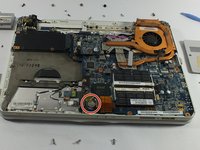
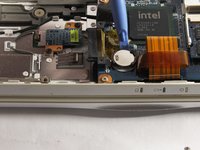
To reassemble your device, follow these instructions in reverse order.
Cancel: I did not complete this guide.
3 other people completed this guide.

Team

UMass Dartmouth, Team 5-2, Kish Spring 2015 Member of UMass Dartmouth, Team 5-2, Kish Spring 2015
UMASSD-KISH-S15S5G2
4 Members
60 Guides authored
