
Samsung NP900X4B Wifi Card Replacement

Jacob Drohan and 2 other contributors
Last updated on Jan 16, 2019
Views: 623
View statistics:
- Past 24 Hours:
- 1
- Past 7 Days:
- 11
- Past 30 Days:
- 49
- All Time:
- 623
Comments: 0
No one has left comments on this guide. Will you be first?
Go to guide commentsCompleted: 0 1
No one has marked this guide "completed." Will you be the first?
1 person has marked this guide "completed." It's you — great job!
Favorites: 0 1
No one has favorited (and subscribed to) this guide. Will you be the first?
1 person has favorited (and subscribed to) this guide — and that's you!
Missing Prerequisites
This guide is missing information on how to start the process. Make a prerequisite guide!
Introduction
Go to step 1 ↓The Wifi Card in your laptop is a necessary component in order to access online features that a computer included. If your card is damaged or broken it will need to be removed for it to be replaced or repaired.
What you need
Tools

-
-
-
This guide should be attempted after the removal of the back panel is completed.
-
The Battery Removal guide demonstrates how to do this. The link to this guide is posed here. Samsung NP900X4B Battery Replacement
 Ask FixBot
-
-
-
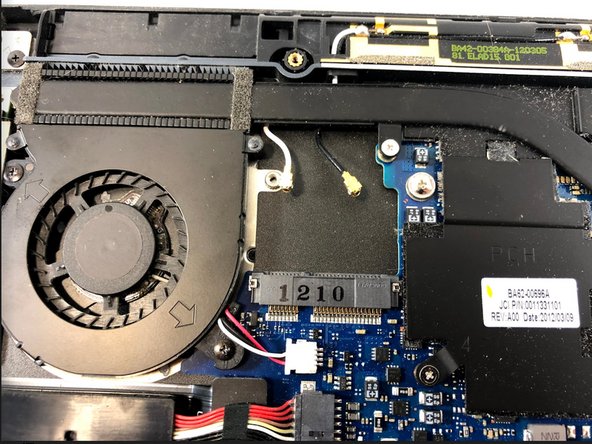
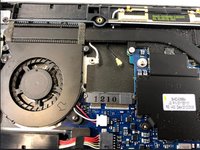
In order to continue, you need to observe the inside of the laptop and find where the Wifi Card is located.
-
-
-
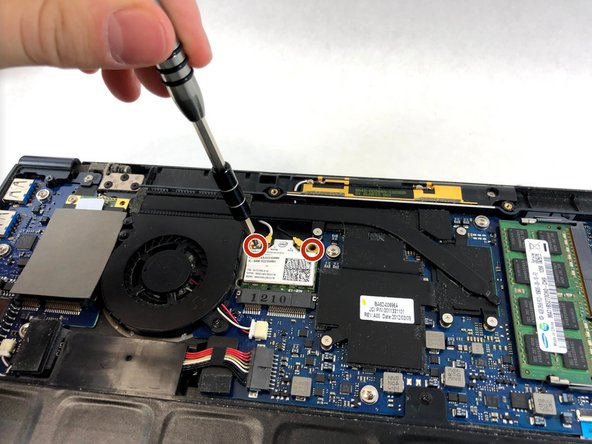
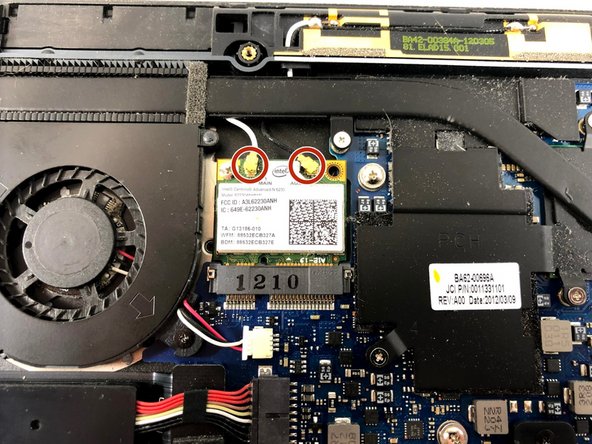
After finding the Wifi Card, you will discover two more 2.5mm Phillips #00 screws which hold the card in place.
-
The screws locations are shown in the image.
-
The same bit piece will be used to unscrew these (PH00/PH000). After completing this continue to the next step.
-
-
-
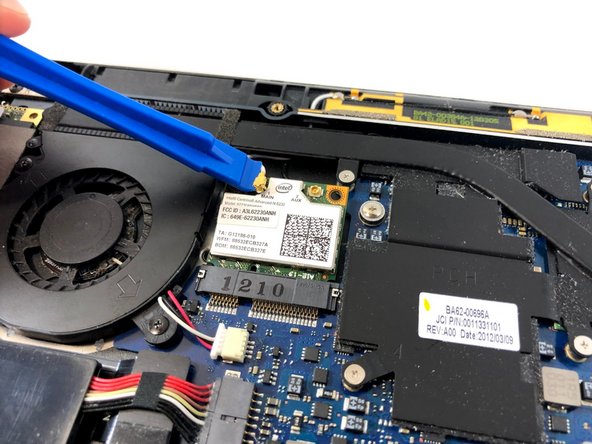
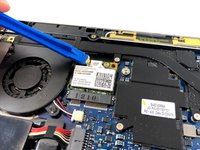
There will be two wires connecting to the Wifi Card from the laptop.
-
These wires can be removed with one of the plastic tools in the iFixit toolkit by applying slight force onto them.
-
After removing the wires move on to the next step.
-
-
-
-
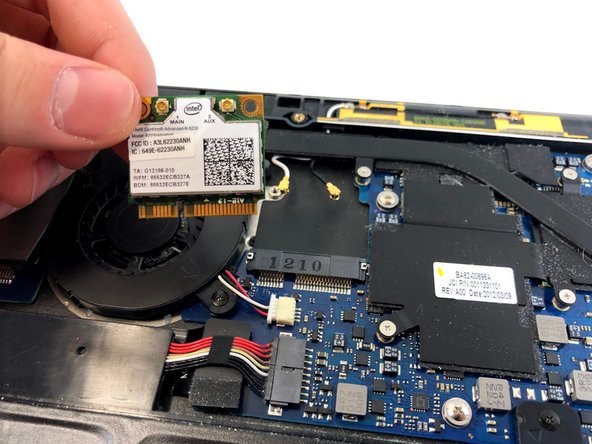
This last step is the easiest of them all, all you need to do it pick up the Wifi Card from its position and you're done!
-
Now you are able to replace the card by following these steps in reverse or have the card further repaired.
-
-


To reassemble your device, follow these instructions in reverse order.

Team

UMass Dartmouth, Team S4-G6, Valliere Fall 2018 Member of UMass Dartmouth, Team S4-G6, Valliere Fall 2018
UMASSD-VALLIERE-F18S4G6
5 Members
72 Guides authored
