Free Shipping on Domestic Orders $75+

Samsung Galaxy S25 Edge Front Camera Replacement

What you need

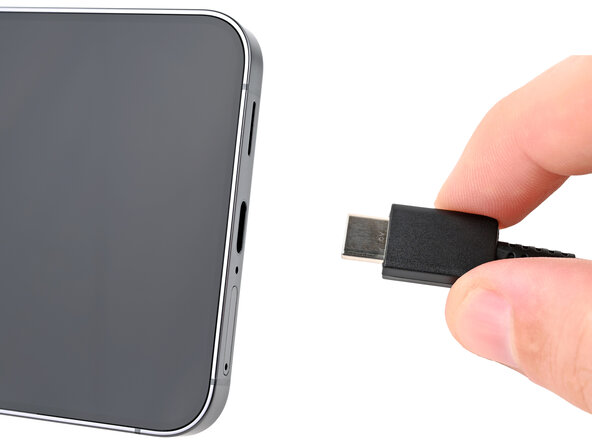
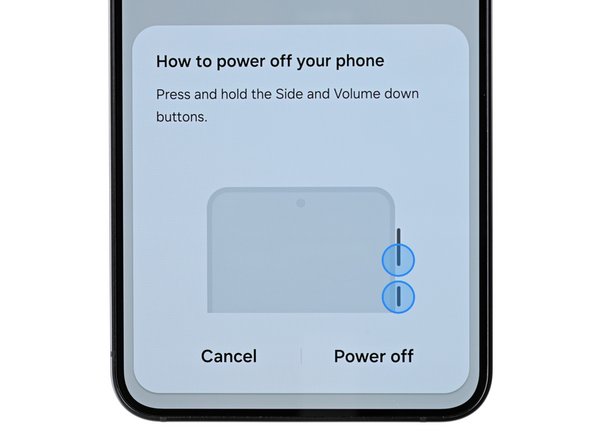
  1. Samsung Galaxy S25 Edge Front Camera Replacement, Prepare your phone for disassembly: step 1, image 1 of 2 Samsung Galaxy S25 Edge Front Camera Replacement, Prepare your phone for disassembly: step 1, image 2 of 2
    • Let your phone's battery drain below 25% before starting this repair. A charged lithium-ion battery may catch fire if accidentally damaged.

    • Completely power off your phone and unplug all cables.

  2. Samsung Galaxy S25 Edge Front Camera Replacement, Heat the bottom edge: step 2, image 1 of 1
    • Mild adhesive secures the back cover. Heating it will soften the adhesive, making it easier to separate.

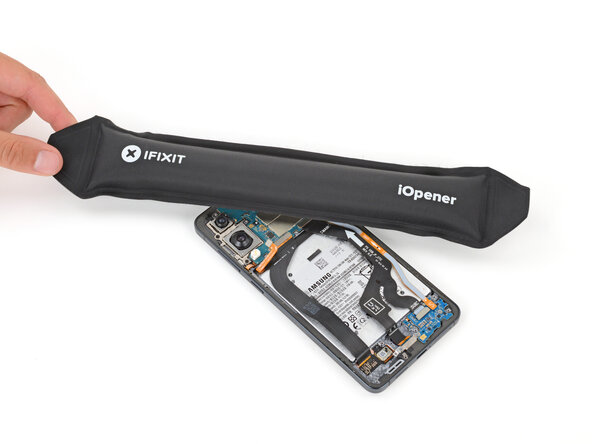
    • Heat an iOpener and lay it on the bottom edge of the back cover for two minutes to soften the adhesive.

    • Alternatively, you can use a hair dryer, heat gun, or hot plate to heat the cover.

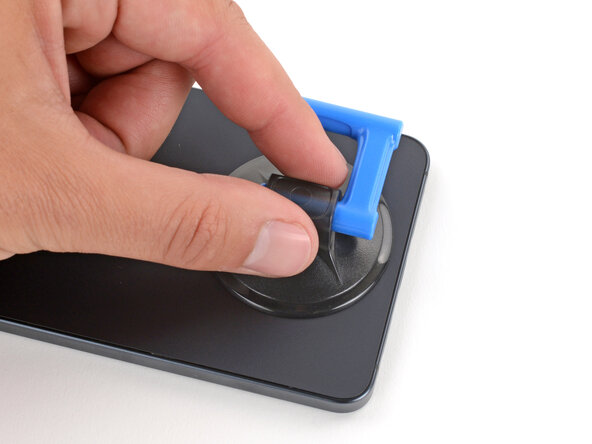
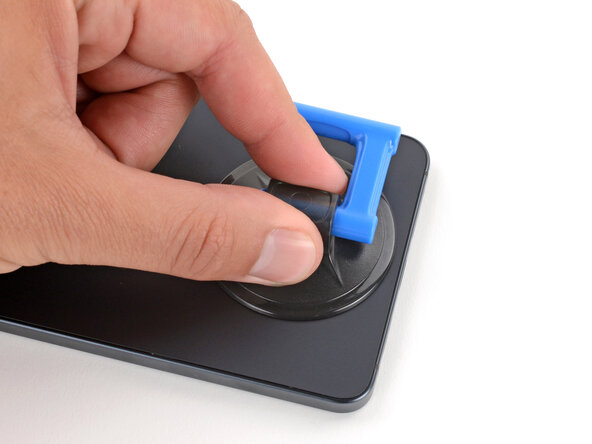
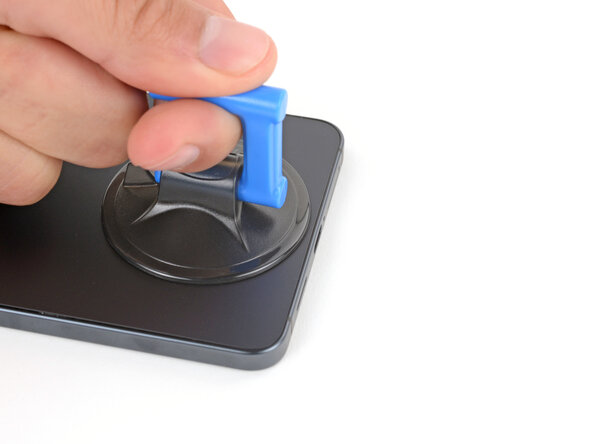
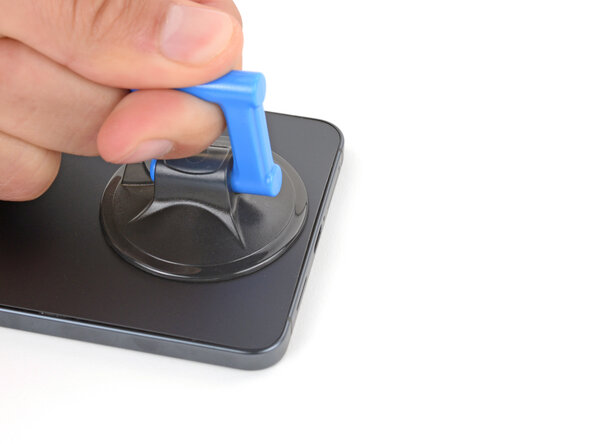
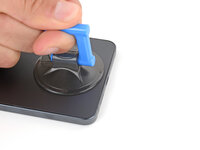
  3. Samsung Galaxy S25 Edge Front Camera Replacement, Apply a suction handle: step 3, image 1 of 2 Samsung Galaxy S25 Edge Front Camera Replacement, Apply a suction handle: step 3, image 2 of 2
    • Apply a suction handle near the center of the back cover's bottom edge, as close to the edge as possible.

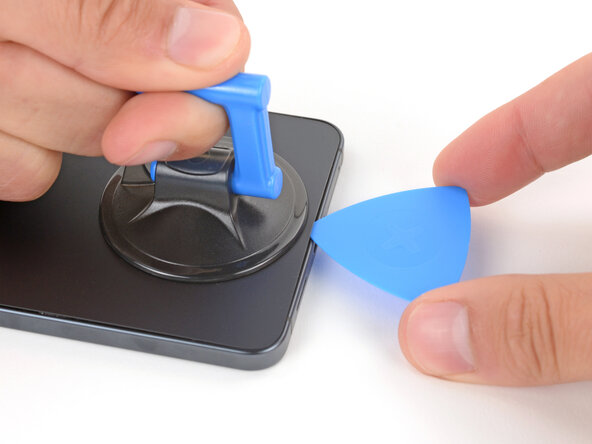
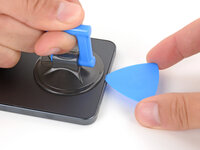
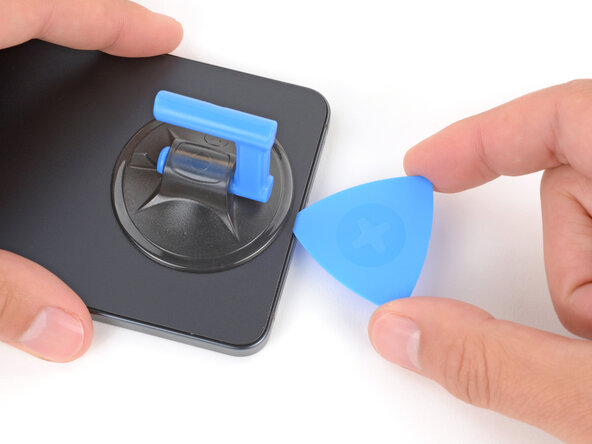
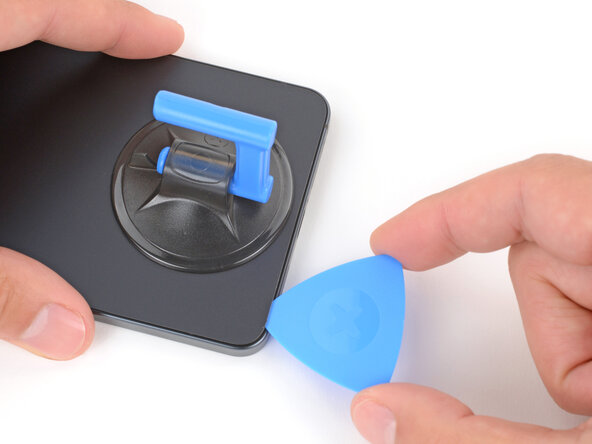
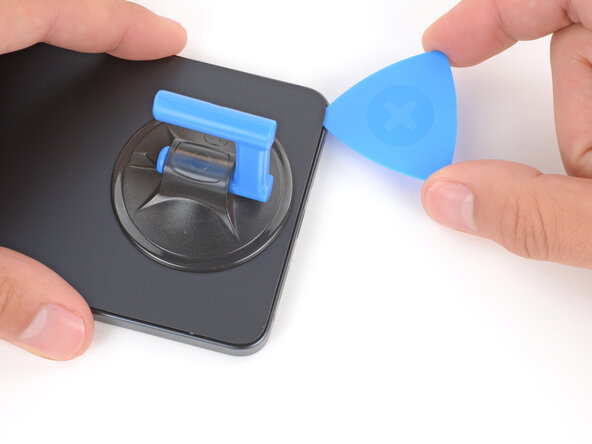
  4. Samsung Galaxy S25 Edge Front Camera Replacement, Insert an opening pick: step 4, image 1 of 3 Samsung Galaxy S25 Edge Front Camera Replacement, Insert an opening pick: step 4, image 2 of 3 Samsung Galaxy S25 Edge Front Camera Replacement, Insert an opening pick: step 4, image 3 of 3
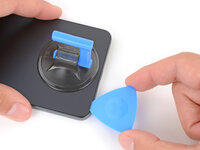
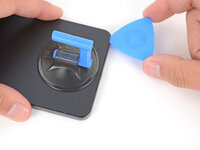
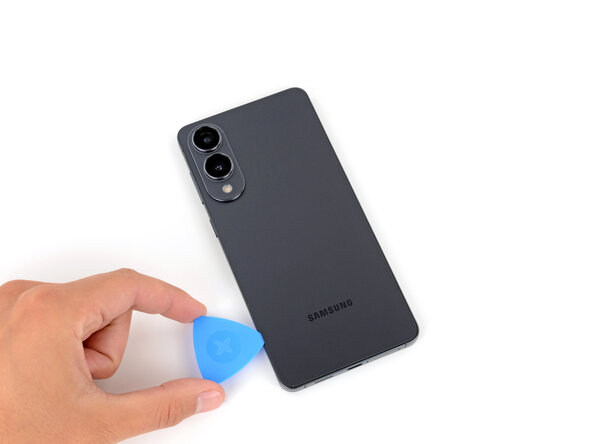
    • Pull up on the suction handle with strong, steady force until a gap forms between the cover and frame.

    • Insert the tip of an opening pick into the gap.

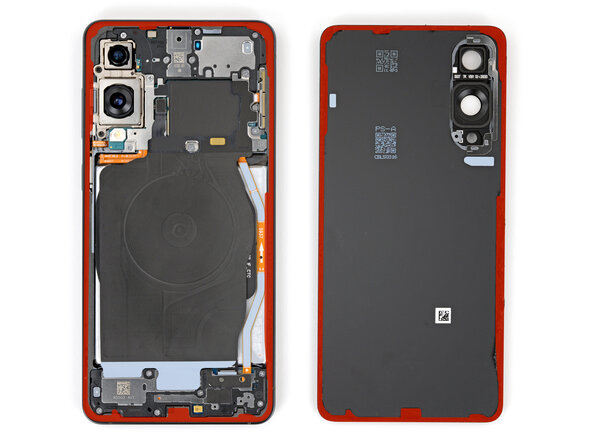
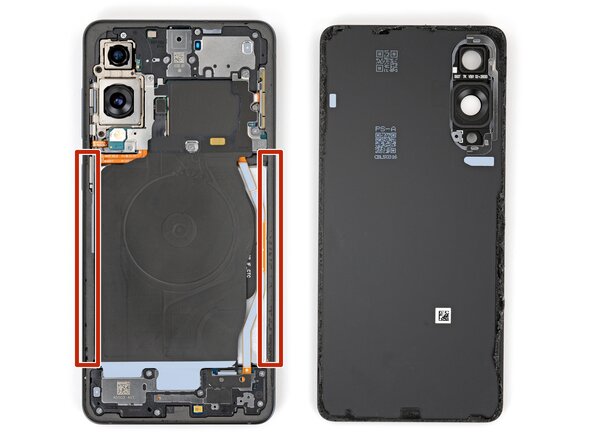
  5. Samsung Galaxy S25 Edge Front Camera Replacement, Adhesive information: step 5, image 1 of 3 Samsung Galaxy S25 Edge Front Camera Replacement, Adhesive information: step 5, image 2 of 3 Samsung Galaxy S25 Edge Front Camera Replacement, Adhesive information: step 5, image 3 of 3
    • The back cover is secured with adhesive around the perimeter of the frame. Use this picture as a reference while you separate the adhesive.

    • When separating the left and right edge adhesive, don't insert your pick more than 3 mm to avoid damaging the wireless charging coil and interconnect cable.

  6. Samsung Galaxy S25 Edge Front Camera Replacement, Separate the adhesive: step 6, image 1 of 3 Samsung Galaxy S25 Edge Front Camera Replacement, Separate the adhesive: step 6, image 2 of 3 Samsung Galaxy S25 Edge Front Camera Replacement, Separate the adhesive: step 6, image 3 of 3
    • If you have trouble separating the adhesive, apply more heat and try again.

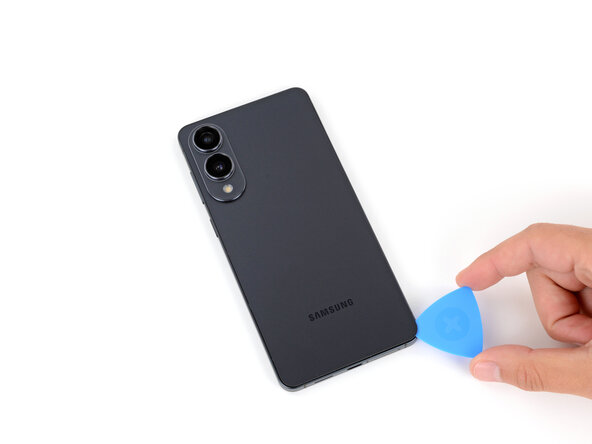
    • Slide your opening pick along the bottom edge to separate the adhesive securing the back cover.

  7. Samsung Galaxy S25 Edge Front Camera Replacement: step 7, image 1 of 3 Samsung Galaxy S25 Edge Front Camera Replacement: step 7, image 2 of 3 Samsung Galaxy S25 Edge Front Camera Replacement: step 7, image 3 of 3
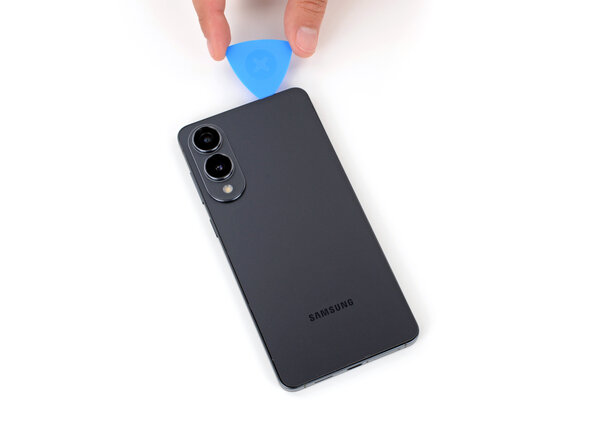
    • Continue sliding your pick around the entire perimeter of the back cover to separate all the remaining adhesive.

    • Remember not to insert your pick too far under the long left and right edges.

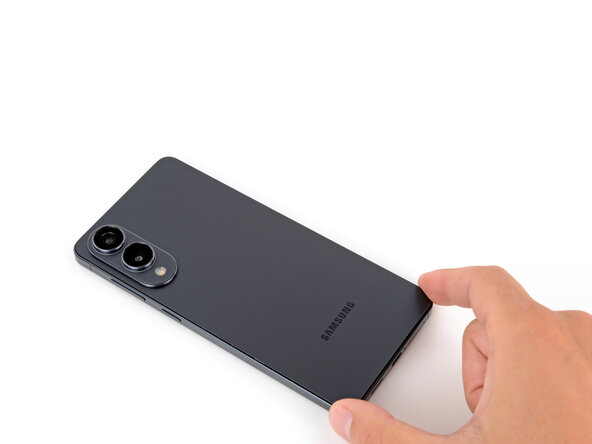
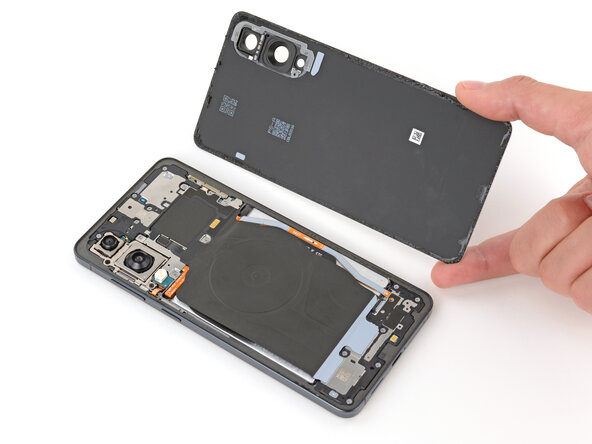
  8. Samsung Galaxy S25 Edge Front Camera Replacement, Remove the back cover: step 8, image 1 of 2 Samsung Galaxy S25 Edge Front Camera Replacement, Remove the back cover: step 8, image 2 of 2
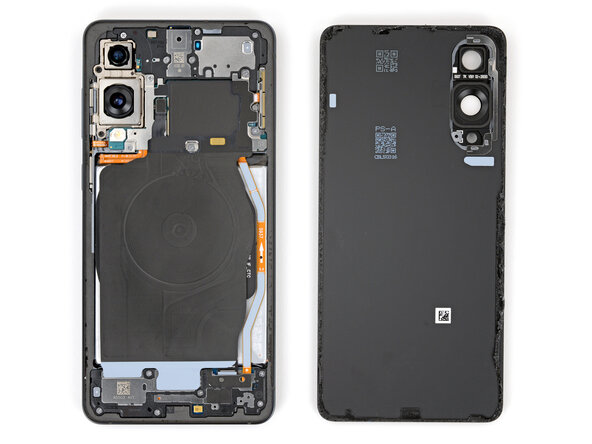
    • Remove the back cover.

    • If you're having trouble, check the perimeter for any remaining adhesive and use your opening pick to separate it.

    • During reassembly:

    • This is a good point to power on your phone and test all functions before sealing it up. Be sure to power your phone back down completely before you continue working.

    • Check your rear cameras for any smudges and gently wipe them with a clean lint–free cloth if necessary.

    • Your replacement back cover adhesive will be applied to either the frame or the back cover. Use cutouts and contours to see where it lines up best. If it matches the back cover, follow this guide. If it matches the frame, use this guide.

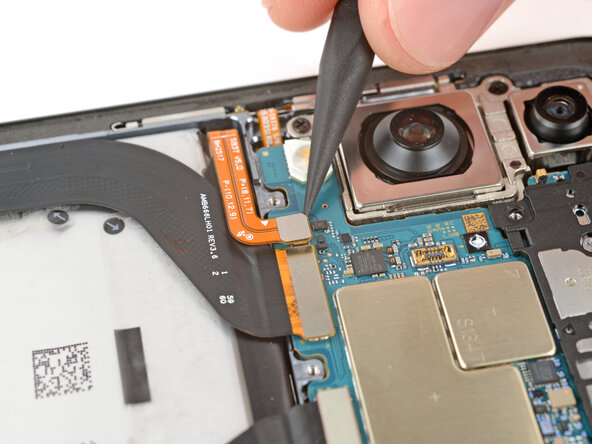
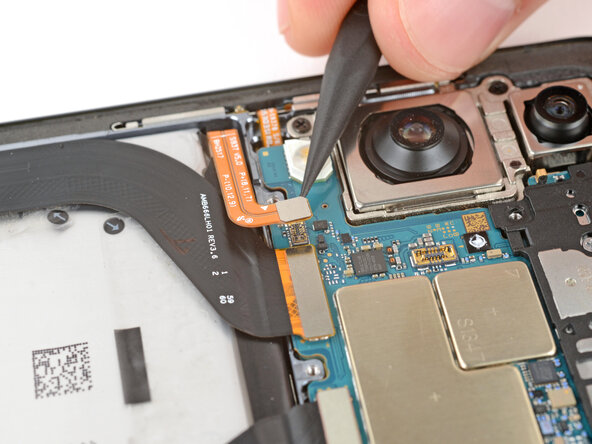
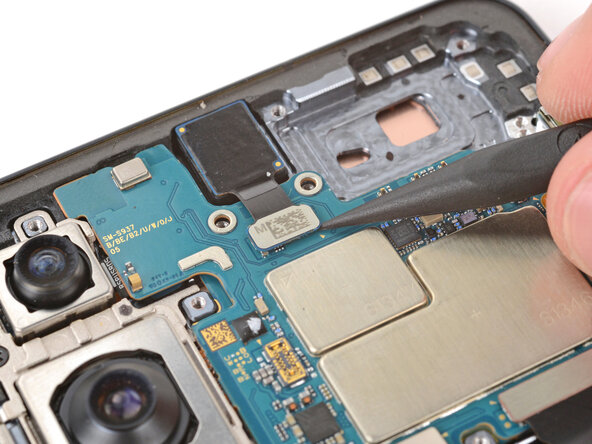
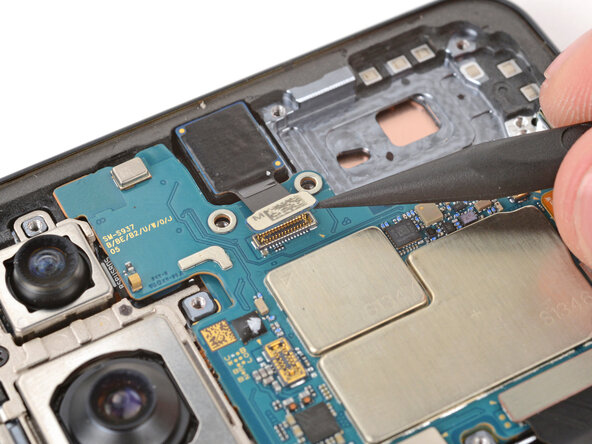
  9. Samsung Galaxy S25 Edge Front Camera Replacement, Disconnect the wireless charging assembly: step 9, image 1 of 2 Samsung Galaxy S25 Edge Front Camera Replacement, Disconnect the wireless charging assembly: step 9, image 2 of 2
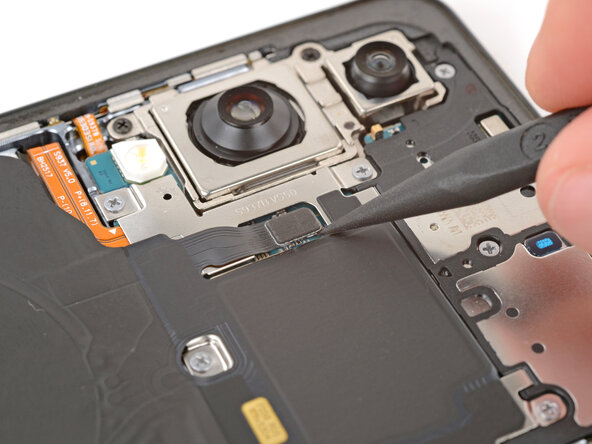
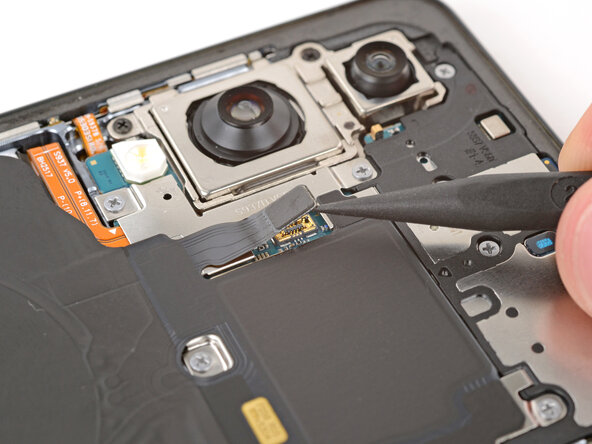
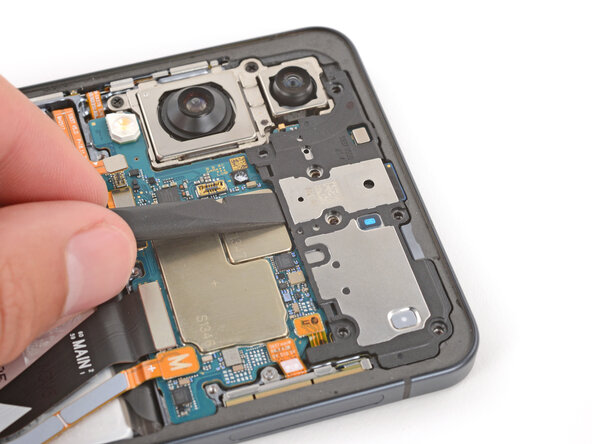
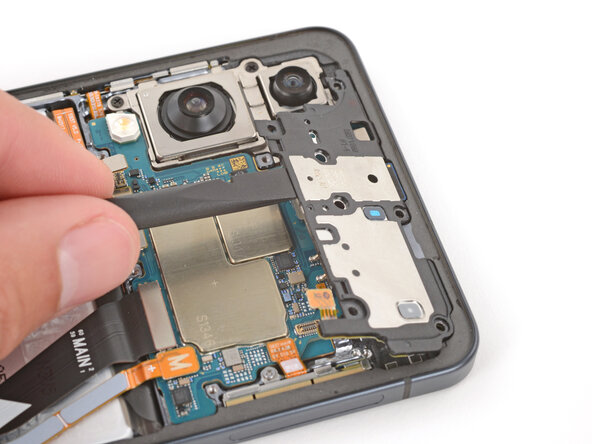
    • Use the point of a spudger to pry up and disconnect the wireless charging assembly press connector from its top edge.

    • Getting the spudger under the connector can be tricky. If you're having trouble, try using the tip of an opening pick instead.

  10. Samsung Galaxy S25 Edge Front Camera Replacement, Remove the wireless charging and loudspeaker assembly screws: step 10, image 1 of 3 Samsung Galaxy S25 Edge Front Camera Replacement, Remove the wireless charging and loudspeaker assembly screws: step 10, image 2 of 3 Samsung Galaxy S25 Edge Front Camera Replacement, Remove the wireless charging and loudspeaker assembly screws: step 10, image 3 of 3
    Tool used on this step:
    FixMat
    $36.95
    Buy
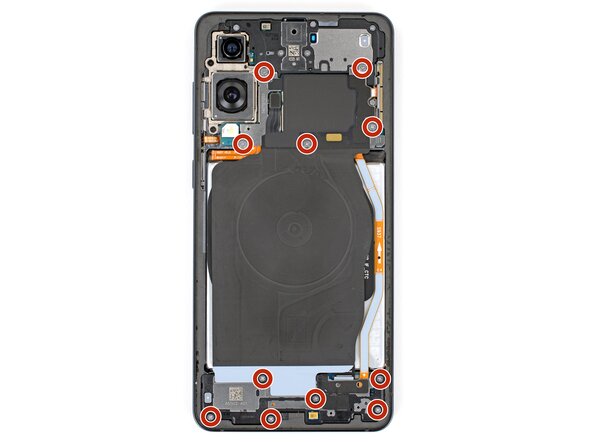
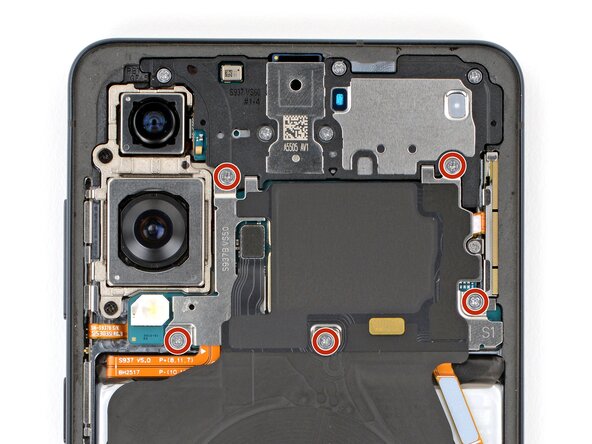
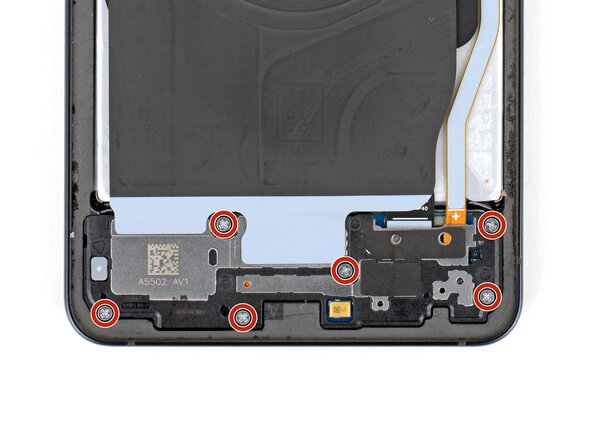
    • Throughout this repair, keep track of each screw and make sure it goes back exactly where it came from.

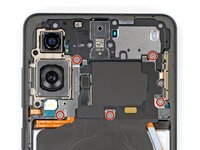
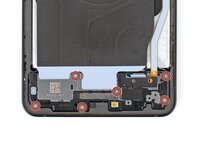
    • Use a Phillips screwdriver to remove the eleven 2.8 mm‑long screws securing the wireless charging and loudspeaker assembly.

  11. Samsung Galaxy S25 Edge Front Camera Replacement, Pry up the loudspeaker: step 11, image 1 of 3 Samsung Galaxy S25 Edge Front Camera Replacement, Pry up the loudspeaker: step 11, image 2 of 3 Samsung Galaxy S25 Edge Front Camera Replacement, Pry up the loudspeaker: step 11, image 3 of 3
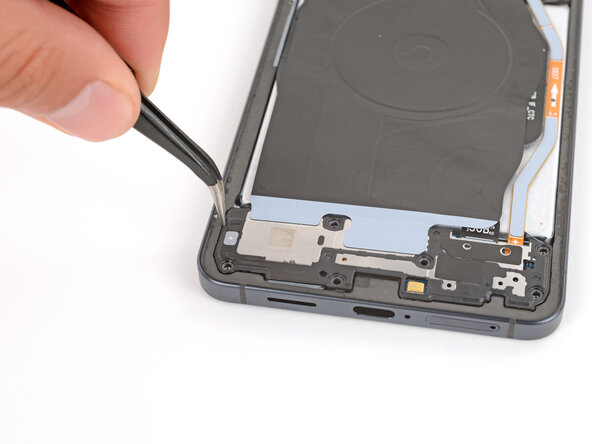
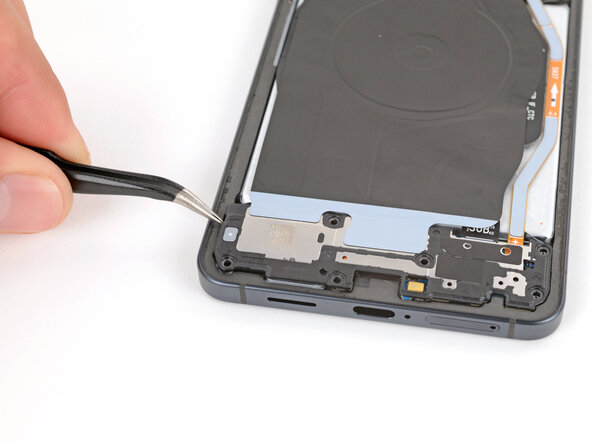
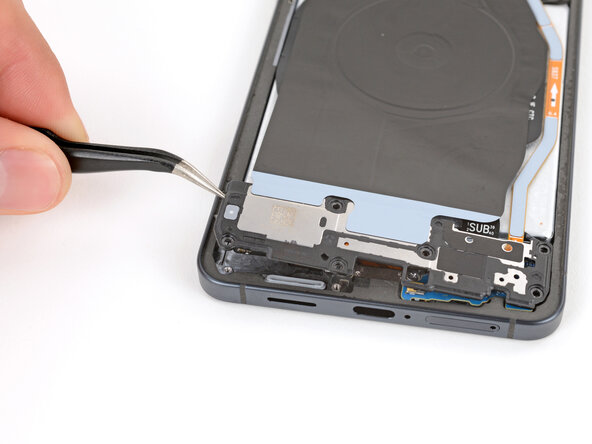
    • The wireless charging coil is connected to the loudspeaker with delicate tape. It's easiest to remove the coil and loudspeaker together as one assembly to avoid damage.

    • Use angled tweezers to pry up and unclip the loudspeaker by the notch on its left edge.

    • During reassembly, press down firmly around the perimeter of the loudspeaker to engage its clips.

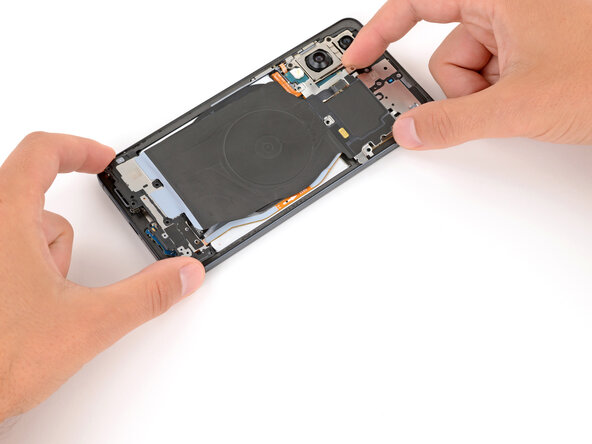
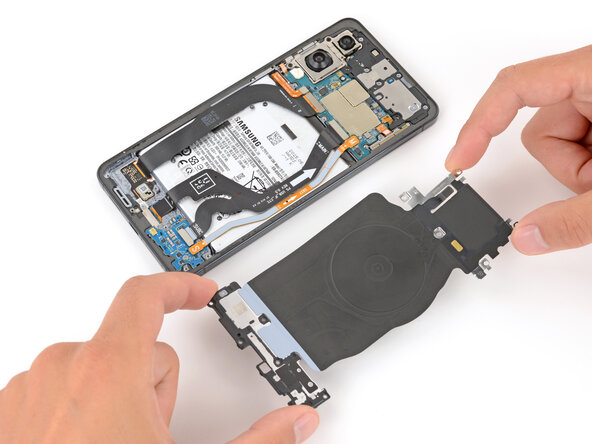
  12. Samsung Galaxy S25 Edge Front Camera Replacement, Remove the wireless charging assembly: step 12, image 1 of 2 Samsung Galaxy S25 Edge Front Camera Replacement, Remove the wireless charging assembly: step 12, image 2 of 2
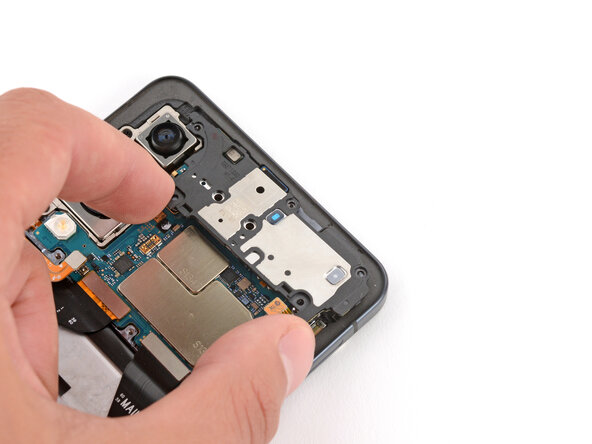
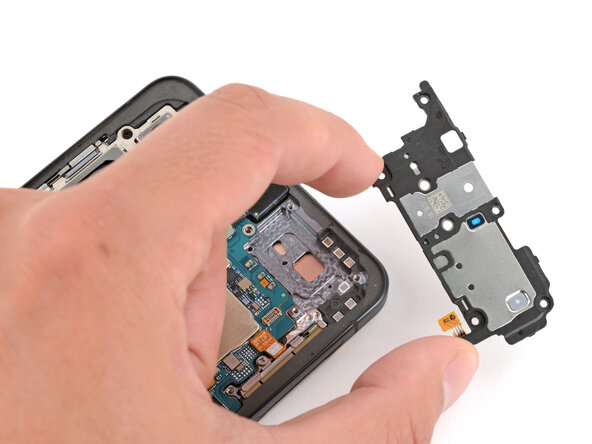
    • Use two hands to lift and remove the wireless charging and loudspeaker assembly.

  13. Samsung Galaxy S25 Edge Front Camera Replacement, Disconnect the battery: step 13, image 1 of 2 Samsung Galaxy S25 Edge Front Camera Replacement, Disconnect the battery: step 13, image 2 of 2
    • Every press connector has a corresponding gold arrow on the board that shows the proper location to pry—nifty! Prying at the wrong location risks damaging the fragile surface‑mounted components on the board.

    • Use the point of a spudger to pry up and disconnect the battery press connector.

  14. Samsung Galaxy S25 Edge Front Camera Replacement, Disconnect the earpiece speaker: step 14, image 1 of 2 Samsung Galaxy S25 Edge Front Camera Replacement, Disconnect the earpiece speaker: step 14, image 2 of 2
    • Use the point of a spudger to pry up and disconnect the earpiece speaker press connector.

  15. Samsung Galaxy S25 Edge Front Camera Replacement, Remove the earpiece speaker screws: step 15, image 1 of 2 Samsung Galaxy S25 Edge Front Camera Replacement, Remove the earpiece speaker screws: step 15, image 2 of 2
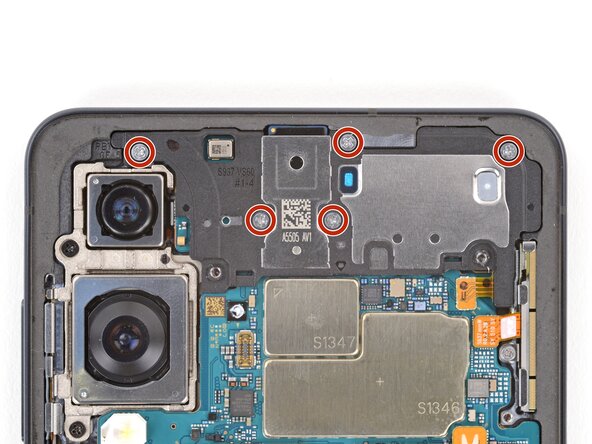
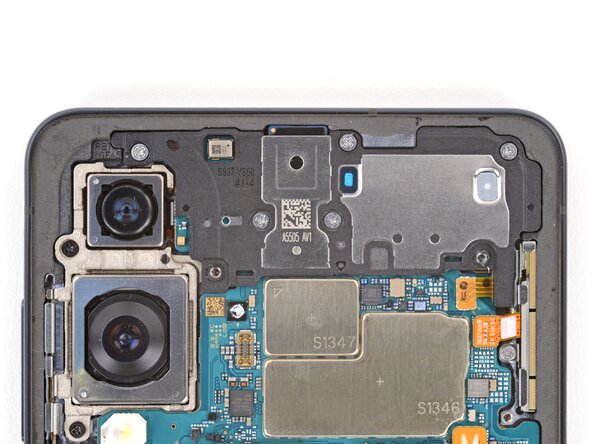
    • Use a Phillips screwdriver to remove the five 2.8 mm‑long screws securing the earpiece speaker.

  16. Samsung Galaxy S25 Edge Front Camera Replacement, Pry up the earpiece speaker: step 16, image 1 of 2 Samsung Galaxy S25 Edge Front Camera Replacement, Pry up the earpiece speaker: step 16, image 2 of 2
    • Use the flat end of a spudger to pry up and unclip the earpiece speaker from the center of its bottom edge.

    • During reassembly, press down firmly around the perimeter of the earpiece speaker to engage its clips.

  17. Samsung Galaxy S25 Edge Front Camera Replacement, Remove the earpiece speaker: step 17, image 1 of 2 Samsung Galaxy S25 Edge Front Camera Replacement, Remove the earpiece speaker: step 17, image 2 of 2
    • Lift and remove the earpiece speaker.

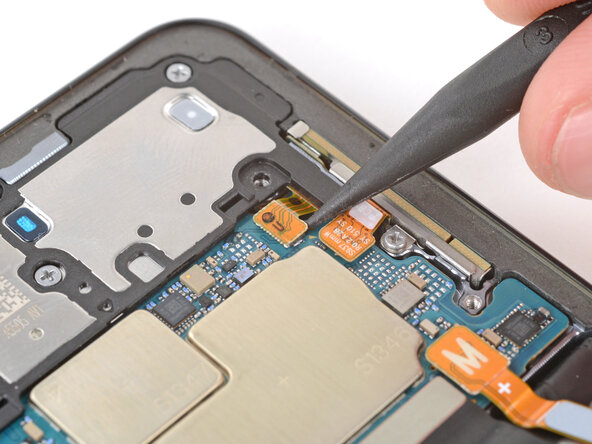
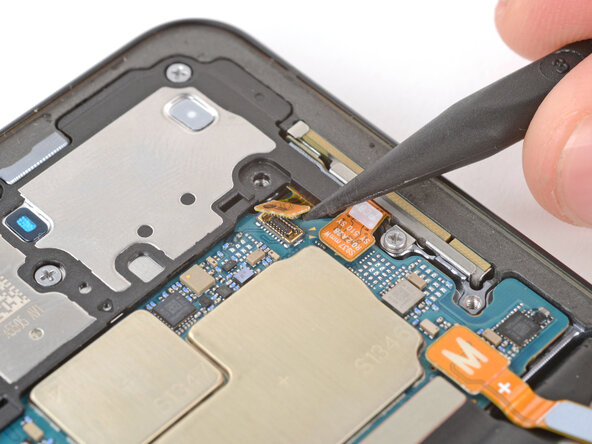
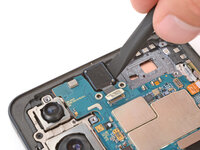
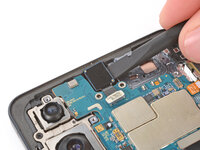
  18. Samsung Galaxy S25 Edge Front Camera Replacement, Disconnect the front camera: step 18, image 1 of 2 Samsung Galaxy S25 Edge Front Camera Replacement, Disconnect the front camera: step 18, image 2 of 2
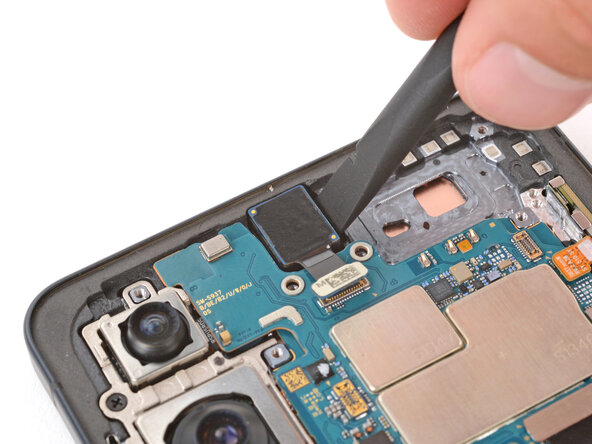
    • Use the point of a spudger to pry up and disconnect the front camera press connector.

  19. Samsung Galaxy S25 Edge Front Camera Replacement, Heat the front camera: step 19, image 1 of 1
    • Epoxy-like adhesive secures the front camera in its recess.

    • Lay a heated iOpener on the front camera for two minutes to soften its adhesive.

    • Alternatively, you can use a hair dryer or heat gun to lightly heat the camera.

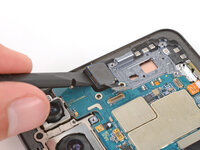
  20. Samsung Galaxy S25 Edge Front Camera Replacement, Pry up the front camera: step 20, image 1 of 3 Samsung Galaxy S25 Edge Front Camera Replacement, Pry up the front camera: step 20, image 2 of 3 Samsung Galaxy S25 Edge Front Camera Replacement, Pry up the front camera: step 20, image 3 of 3
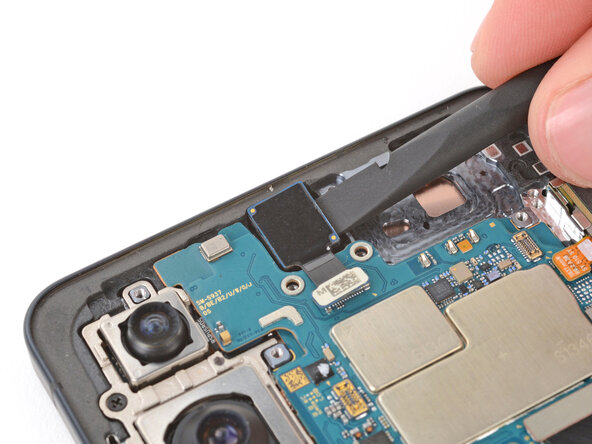
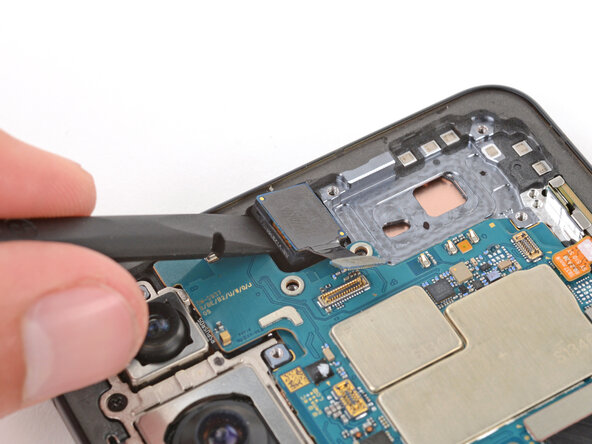
    • Use the flat end of a spudger to pry up on the left and right sides of the front camera until the adhesive completely separates.

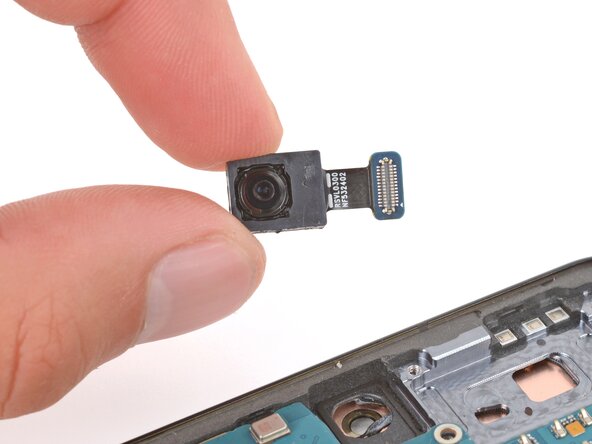
  21. Samsung Galaxy S25 Edge Front Camera Replacement, Remove the front camera: step 21, image 1 of 1
    • Use your fingers or tweezers to remove the front camera.

Conclusion

Compare your new replacement part to the original part—you may need to transfer remaining components or remove adhesive backings from the new part before you install it.

To reassemble your device, follow these instructions in reverse order.

Take your e-waste to an R2 or e-Stewards certified recycler.

Repair didn’t go as planned? Try some basic troubleshooting, or ask our Answers Community for troubleshooting help.

Spencer Day

Member since: 09/14/22

177,910 Reputation

1,142 Guides authored

0 Guide Comments

Add Comment

View Statistics:

Past 24 Hours: 2

Past 7 Days: 16

Past 30 Days: 53

All Time: 426