
Samsung ATIV Book 4 Mouse Pad Replacement

Daniel and 2 other contributors
Last updated on Jun 24, 2015
Views: 1.6K
View statistics:
- Past 24 Hours:
- 5
- Past 7 Days:
- 33
- Past 30 Days:
- 111
- All Time:
- 1,633
Comments: 0
No one has left comments on this guide. Will you be first?
Go to guide commentsCompleted: 0 1
No one has marked this guide "completed." Will you be the first?
1 person has marked this guide "completed." It's you — great job!
Favorites: 0 1
No one has favorited (and subscribed to) this guide. Will you be the first?
1 person has favorited (and subscribed to) this guide — and that's you!
Introduction
Go to step 1 ↓Mouse pads may become less responsive over time. If your mouse pad becomes unresponsive, the mouse pad hardware may need to be replaced. This guide will take you through the steps in order to complete this task.
What you need
Tools


-
-
-
Place the computer upside down.
-
Remove the two rubber pads, by prying up on them.
-
Remove the seven 6.5mm screws on exterior of computer.
-
Remove panel by sliding it down and lifting it away from the computer.
 Ask FixBot
-
-
-
Remove the four 4.4mm screws that are underneath the panel.
-
Remove the two 6.5mm screws that were underneath the rubber pads.
-
-
-
-
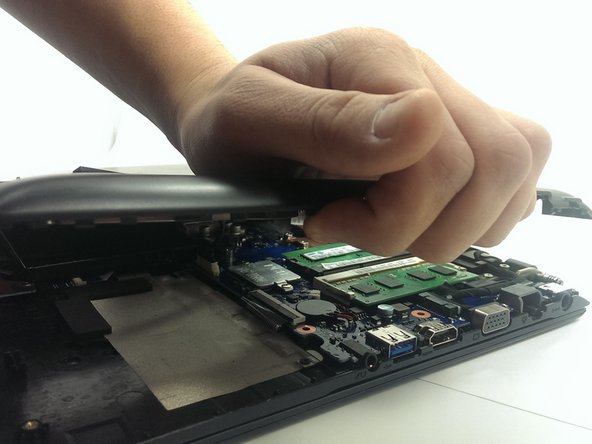
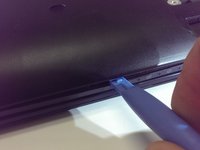
Using plastic opening tool, pry plastic panel away from computer.
-
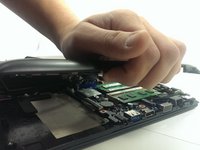
Remove the panel from computer once all tabs are broke free.
-
-
-
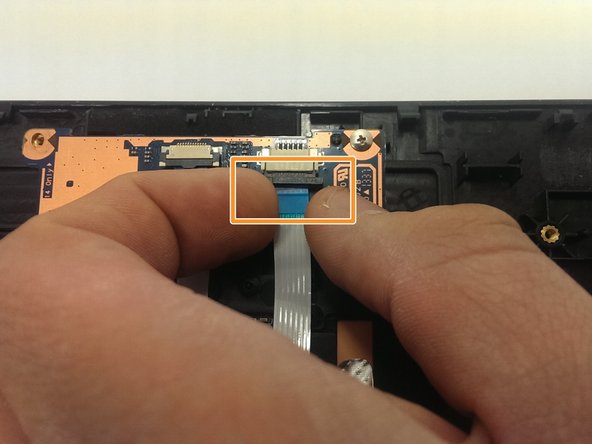
Pull this tab outwards, as shown, to release the wire harness.
-
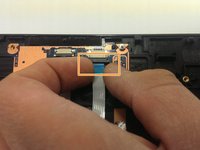
With the tab now pulled out, pull lightly on the blue tape, to remove the harness.
-
Pull on the blue tape to remove wire harness.
-
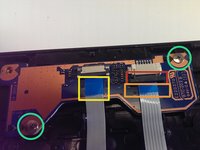
Remove the two 3.5mm screws and remove the defective hardware.
-
-



To reassemble your device, follow these instructions in reverse order.

Team

Michigan Tech, Team 1-7, Lauer Spring 2015 Member of Michigan Tech, Team 1-7, Lauer Spring 2015
MTU-LAUER-S15S1G7
2 Members
60 Guides authored
