Free Shipping on Domestic Orders $75+

This translation was generated by a machine and has not been reviewed by a person yet. Speak this language? Review it.

Polar V800 Barometer/Altimeter Replacement

Views: 1.2K

View statistics:

Past 24 Hours:
1
Past 7 Days:
9
Past 30 Days:
74
All Time:
1,246
Comments: 1

1 comment on steps.

Completed: 0

No one has marked this guide "completed." Will you be the first?

Favorites: 0

No one has favorited (and subscribed to) this guide. Will you be the first?

Time Required: 1 hour
Difficulty: Very difficult
Action Shots

Be an action hero! This guide needs images that better demonstrate how to perform specific actions.

Community-Contributed Guide

An awesome member of our community made this guide. It was not created by iFixit staff.

Polar V800 Barometer/Altimeter Replacement

Introduction

Go to step 1 ↓

If the barometer/altimeter starts to behave erratically, you can start by following the basic troubleshooting steps recommended by Polar: altimeter calibration, watch restart, watch cleaning, cleaning the sensor entry (https://www.youtube.com/watch?v=pZslSi8h...), contacting Polar technical support (it is possible they may offer you a 30% discount on a new watch...)

If these steps do not solve the problem and in particular if:
- the watch freezes (the only way to unblock it is a reset) when you start a calibration
- no altitude information is displayed
then the altimeter may be broken.

WARNING, this is not an easy repair, you may make the watch unusable by attempting it.

What you need

Tools

    1. Polar V800 Barometer/Altimeter Replacement, Waterproofing Seal: step 1, image 1 of 2 Polar V800 Barometer/Altimeter Replacement, Waterproofing Seal: step 1, image 2 of 2
      • In this guide, the wrist band of the Polar V800 is removed for a clear view of the back panel. If you find it helpful, you may want to remove the wrist strap. Please reference the Watch Band Replacement guide for removal instructions if you wish to do so.

      • Ensure your Polar V800 sports watch is powered off before continuing.

      • Remove the eight, 7.4 millimeter-long screws on the back of the watch with a T5 head-type, torque screwdriver.

      Ask FixBot

      Add Comment

    2. Polar V800 Barometer/Altimeter Replacement: step 2, image 1 of 3 Polar V800 Barometer/Altimeter Replacement: step 2, image 2 of 3 Polar V800 Barometer/Altimeter Replacement: step 2, image 3 of 3
      • Gently separate the watch housing from the back panel.

      • The watch should come apart easily after removing the screws. If you experience difficulties separating the housing and and back cover, use a spudger to gently pry apart the back panel and the button and screen protector housing.

      Ask FixBot

      Add Comment

    3. Polar V800 Barometer/Altimeter Replacement: step 3, image 1 of 2 Polar V800 Barometer/Altimeter Replacement: step 3, image 2 of 2
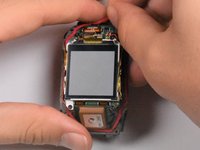
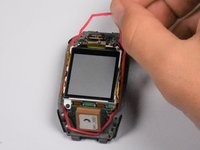
      • The waterproofing seal is the red, elastic band that surrounds the display of the watch.

      • Remove the waterproofing seal.

      • During reassembly, align the red seal in the groove surrounding the glass screen on the main watch housing to ensure a watertight seal.

      Ask FixBot

      Add Comment

    1. Polar V800 Barometer/Altimeter Replacement, Motherboard: step 4, image 1 of 3 Polar V800 Barometer/Altimeter Replacement, Motherboard: step 4, image 2 of 3 Polar V800 Barometer/Altimeter Replacement, Motherboard: step 4, image 3 of 3
      • Though not necessary, following the Polar V800 Display Replacement first may make the motherboard easier to remove.

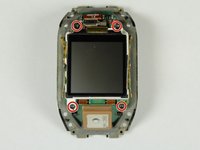
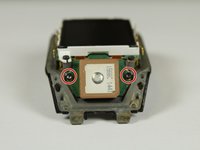
      • Remove the nine, 4.0 millimeter-long screws with a T5 head-type torque screwdriver.

      Ask FixBot

      Add Comment

    2. Polar V800 Barometer/Altimeter Replacement: step 5, image 1 of 1
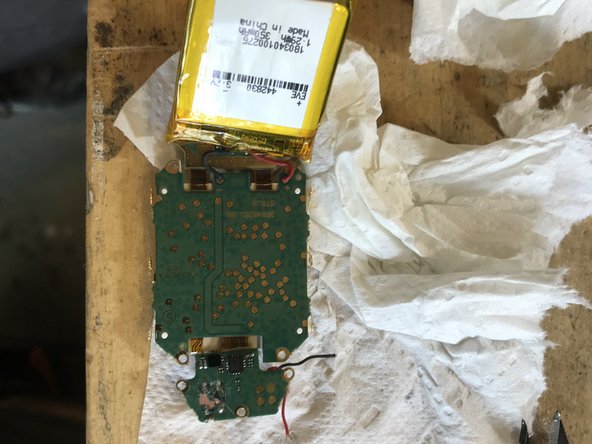
      • Once all of the screws have been removed, lift the motherboard to expose the battery beneath motherboard.

      • A red wire and a black wire should run between the motherboard and the battery.

      Ask FixBot

      Add Comment

    3. Polar V800 Barometer/Altimeter Replacement: step 6, image 1 of 1
      • The battery is glued down to the back of the watch. It may take some force to detach the battery at the glue joint.

      • Use a spudger to pry the battery from the back of the watch.

      • If your battery is swollen, be very careful in removing the battery. If the packaging is ruptured, the battery will be unsafe to handle with bare hands. The contents of the battery are hazardous.

      Ask FixBot

      Add Comment

    4. Polar V800 Barometer/Altimeter Replacement: step 7, image 1 of 1
      • Gently pull the wires from their solder joints to disconnect them from the body of the watch.

      • If the wires do not come off easily, you may need to desolder the connections. Visit How To Solder and Desolder Connections for more help on soldering.

      • To reconnect the wires to their solder joints, they must be soldered on. See the guide linked above for more guidance.

      Ask FixBot

      Add Comment

    1. Polar V800 Barometer/Altimeter Replacement, Barometer disassembly: step 8, image 1 of 1
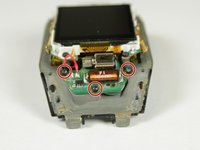
      • The barometer is visible inside the red circle on the photo

      Ask FixBot

      Add Comment

    2. Polar V800 Barometer/Altimeter Replacement: step 9, image 1 of 3 Polar V800 Barometer/Altimeter Replacement: step 9, image 2 of 3 Polar V800 Barometer/Altimeter Replacement: step 9, image 3 of 3
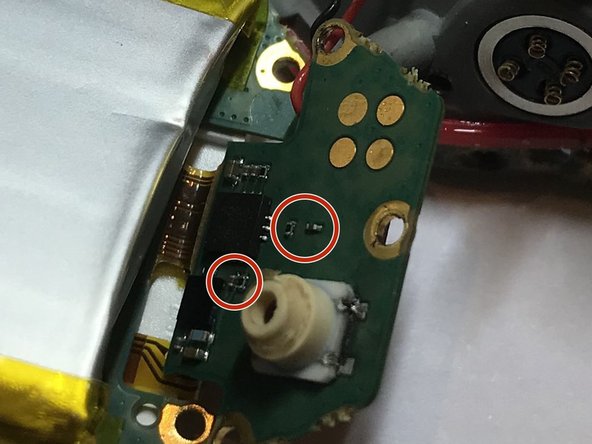
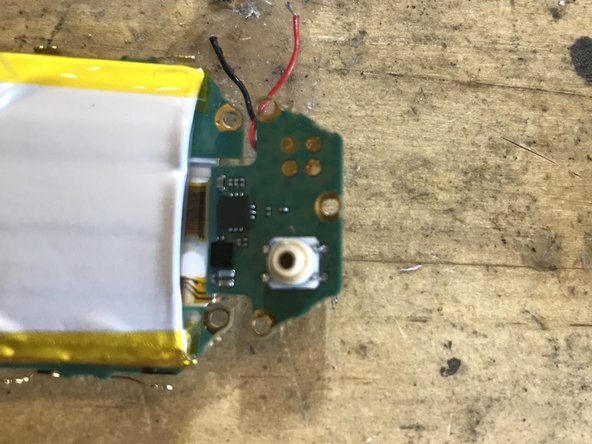
      • Using a small flathead screwdriver or pliers, remove the red seal around the barometric sensor.

      • The sensor is strongly glued and welded on the mother board. Beware of the micro components positioned nearby, avoid taking support on them when removing the seal.

      • Unsolder or cut short the black/red wires soldered on the casing.

      Ask FixBot

      Add Comment

    3. Polar V800 Barometer/Altimeter Replacement: step 10, image 1 of 1
      • A blue dot allows the good position/orientation of the component. Take note of the position of this dot prior removing the faulty component.

      • Component ref MS580502BA01-50

      Ask FixBot

      Add Comment

    4. Polar V800 Barometer/Altimeter Replacement: step 11, image 1 of 3 Polar V800 Barometer/Altimeter Replacement: step 11, image 2 of 3 Polar V800 Barometer/Altimeter Replacement: step 11, image 3 of 3
      • With a 350°C soldering iron and a desoldering wick remove as much solder as possible. Then try to remove the component with angled pliers

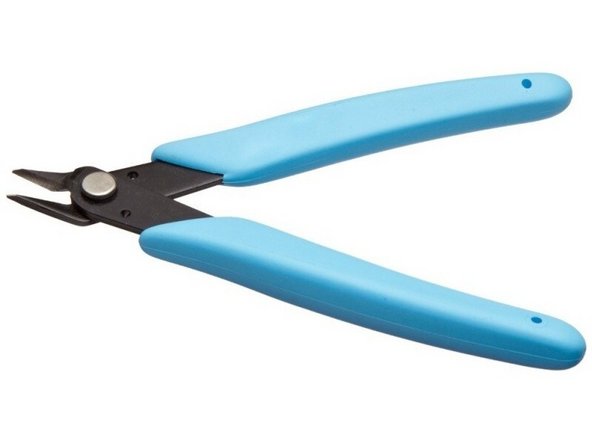
      • It is likely that the component is glued to the board. In this case, the only solution that I've found was to remove the component by cutting it piece by piece with mini flush cutters.

      • The target is to get a surface where to put the new component as clean as possible, while keeping the soldering pads and without destroying nearby components. That is the most complex operation.

      Ask FixBot

      Add Comment

    5. Polar V800 Barometer/Altimeter Replacement: step 12, image 1 of 1
      • Put a VERY SMALL drop of glue (no superglue, use a glue that solidifies slower like epoxy so that you can correct misplacement of the component if it does not align with the solder pads) in the component placement area and put it in there (take care to place the component so that the blue dot is at the right position!)

      • Solder the 4 contacts with a thin tip soldering iron. The use of flux will make the operation easier.

      Ask FixBot

      Add Comment

Conclusion

Follow instruction in reverse order to assemble the device. Do not forget to resolder the black/red wires to the casing.

Cancel: I did not complete this guide.

Special thanks to these translators:

fr en

100%

These translators are helping us fix the world! Want to contribute?
Start translating ›

Alexandre Moulart

Member since: 08/17/22

163 Reputation

1 Guide authored

0 Guide Comments

Add Comment

View Statistics:

Past 24 Hours: 1

Past 7 Days: 9

Past 30 Days: 74

All Time: 1,246