Introduction
Mitsubishi MMCS NR-242 is a popular car navigation and multimedia system that helps drivers navigate unfamiliar roads, listen to music, and make hands-free phone calls while driving. One important aspect of maintaining this system is updating its firmware to ensure it runs smoothly and efficiently. Updating the firmware of your MMCS NR-242 can improve its performance, add new features, and fix any bugs or security issues. In this guide, we will walk you through the steps of updating the firmware of your Mitsubishi MMCS NR-242, so you can keep enjoying its many benefits on the road.
Note that the Bluetooth Hands Free Module Firmware is updated separately.
What you need
-
-
You can find the Version Number of your MMCS printed on the top right corner of the unit.
-
-
-
Check if the Firmware Version works with your device.
-
Download the Firmware for your device.
-
Press on SHOW ALL.
-
Download LOADING.KWI.
-
-
-
-
Insert the SD Card into the USER-Slot.
-
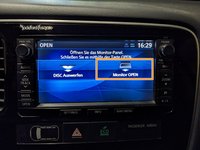
Close the display by pressing the OPEN-Button again.
-
-
-
After the update is finished, remove the SD Card by repeating Step 4 and 5.
-


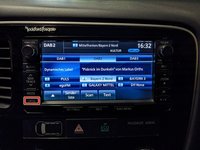


Drive safe!
Cancel: I did not complete this guide.
5 other people completed this guide.

5 Guide Comments
Un saludo Sebastián, José María de Cádiz, quiero actualizar los mapas de mi Mitsubishi Outlander 2017, mi equipo W-15, al entrar al enlace que pones como hacerlo, me sale que está desconectado temporalmente , otro enlace para poder descargar mapas y archivos del Sistema, para actualizarlo?...gracias
Hola José María, lamentablemente el archivo en Internet Archive en mantenimiento durante los próximos días debido a una reciente violación de datos. Los archivos que buscas también están disponibles en una página rusa llamada MMC Manuals, pero te recomendaría esperar hasta que el Internet Archive línea vuelva a estar disponible para una descarga más segura.
can i add a wireless android auto or apple car play to this unit
