Free Shipping on Domestic Orders $75+

MacBook Pro 13" Retina Display Late 2013 Left Speaker Replacement

What you need

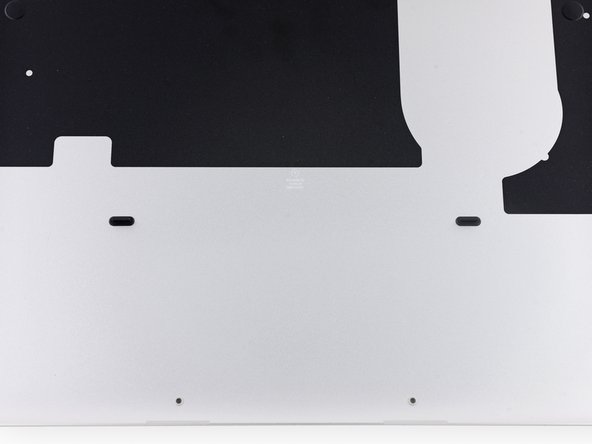
    1. MacBook Pro 13" Retina Display Late 2013 Left Speaker Replacement, Lower Case: step 1, image 1 of 1
      Tool used on this step:
      Magnetic Project Mat
      $19.95
      Buy
      • Remove the following ten screws securing the lower case to the upper case:

      • Two 2.3 mm P5 Pentalobe screws

      • Eight 3.0 mm P5 Pentalobe screws

      • Throughout this repair, keep track of each screw and make sure it goes back exactly where it came from to avoid damaging your device.

      Ask FixBot

      Add Comment

    2. MacBook Pro 13" Retina Display Late 2013 Left Speaker Replacement: step 2, image 1 of 1
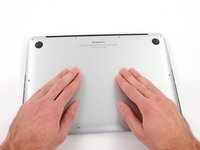
      • Wedge your fingers between the upper case and the lower case.

      • Gently pull the lower case away from the upper case to remove it.

      Ask FixBot

      Add Comment

    3. MacBook Pro 13" Retina Display Late 2013 Left Speaker Replacement: step 3, image 1 of 2 MacBook Pro 13" Retina Display Late 2013 Left Speaker Replacement: step 3, image 2 of 2
      • The lower case is connected to the upper case with two plastic clips near its center.

      • During reassembly, gently push down the center of the lower case to reattach the two plastic clips.

      Ask FixBot

      Add Comment

    1. MacBook Pro 13" Retina Display Late 2013 Left Speaker Replacement, Battery Connector: step 4, image 1 of 1
      • If necessary, remove the plastic cover adhered to the battery contact board.

      Ask FixBot

      Add Comment

    2. MacBook Pro 13" Retina Display Late 2013 Left Speaker Replacement: step 5, image 1 of 2 MacBook Pro 13" Retina Display Late 2013 Left Speaker Replacement: step 5, image 2 of 2
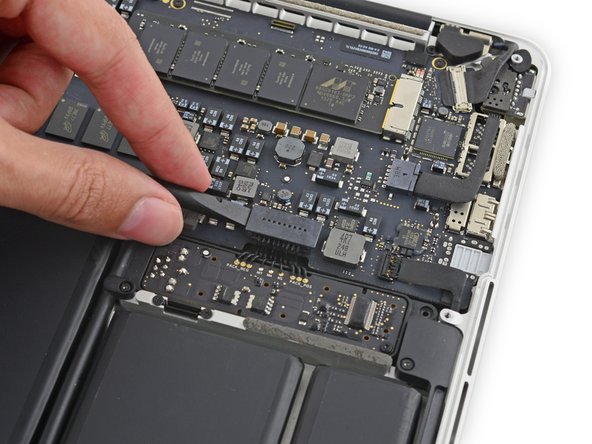
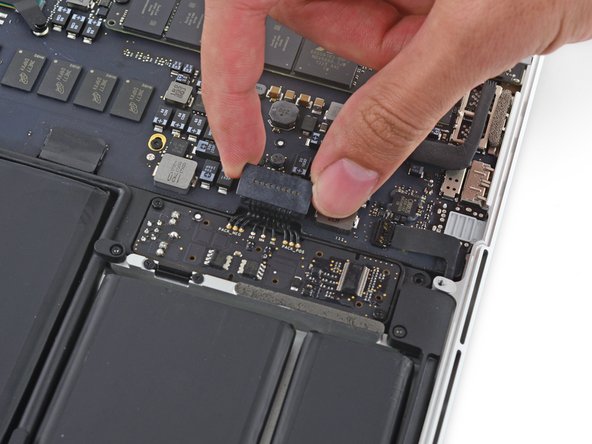
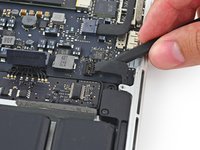
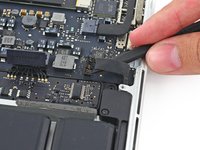
      • Use the flat end of a spudger to lift the battery connector straight up out of its socket on the logic board.

      • Be sure you lift up only on the connector itself, not the socket, or you risk permanent damage to the logic board.

      Ask FixBot

      Add Comment

    3. MacBook Pro 13" Retina Display Late 2013 Left Speaker Replacement: step 6, image 1 of 1
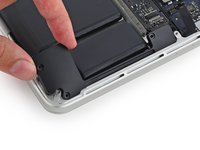
      • Bend the battery connector up out of the way to prevent accidental contact with its socket during your repair.

      Ask FixBot

      Add Comment

    1. MacBook Pro 13" Retina Display Late 2013 Left Speaker Replacement, Left Speaker: step 7, image 1 of 2 MacBook Pro 13" Retina Display Late 2013 Left Speaker Replacement, Left Speaker: step 7, image 2 of 2
      • Insert the tip of a spudger under the left speaker cable near the connector and lift it up out of its socket on the logic board.

      • Be careful not to damage any surface-mounted components.

      Ask FixBot

      Add Comment

    2. MacBook Pro 13" Retina Display Late 2013 Left Speaker Replacement: step 8, image 1 of 1
      • Remove the following screws securing the left speaker to the upper case:

      • One 5.7 mm T5 Torx screw

      • One 6.5 mm T5 Torx screw

      • One 3.8 mm T5 Torx screw

      Ask FixBot

      Add Comment

    3. MacBook Pro 13" Retina Display Late 2013 Left Speaker Replacement: step 9, image 1 of 3 MacBook Pro 13" Retina Display Late 2013 Left Speaker Replacement: step 9, image 2 of 3 MacBook Pro 13" Retina Display Late 2013 Left Speaker Replacement: step 9, image 3 of 3
      • Lift the corner of the left speaker up and slide it out around the battery to remove it from the upper case.

      • Be careful not to snag the speaker cable on the screw hole post in the side of the case.

      Ask FixBot

      Add Comment

Conclusion

To reassemble your device, follow these instructions in reverse order.

Cancel: I did not complete this guide.

88 other people completed this guide.

Sam Goldheart

Member since: 10/18/12

477,944 Reputation

538 Guides authored

Team

iFixit Member of iFixit

Staff

123 Members

84,881 Guides authored

17 Guide Comments

A very straightforward repair. Thanks for the excellent instructions!

Andrew - Reply Share

is the same process for the right speaker? thank you very much Sam Lionheart!

Tonino - Reply Share

Pretty much, there's another cable to disconnect, but we have a whole guide for the right speaker, too! Best of luck!

Sam Goldheart - Reply Share

Hi! Are the L/R speakers compatible with the 13" Early 2015 models?

fylungster - Reply Share

Great guide. I was able to dismantle the speaker and fixed the blown left speaker. Fit it back and it worked. Now, i’ll do that for the right speaker.

iamleongch - Reply Share

Add Comment

View Statistics:

Past 24 Hours: 4

Past 7 Days: 41

Past 30 Days: 170

All Time: 85,145