
Digital Calipers Battery Replacement

Spencer Day and 2 other contributors
Last updated on Jun 21, 2024
Views: 40K
View statistics:
- Past 24 Hours:
- 61
- Past 7 Days:
- 275
- Past 30 Days:
- 1,148
- All Time:
- 40,101
Comments: 4
3 comments on steps, 1 guide comment.
Go to guide commentsCompleted: 8 9
8 people have marked this guide "completed." Will you be next?
9 people have marked this guide "completed." Including you — great job!
Favorites: 0 1
No one has favorited (and subscribed to) this guide. Will you be the first?
1 person has favorited (and subscribed to) this guide — and that's you!
Introduction
Go to step 1 ↓Use this guide to replace the battery in iFixit digital calipers.
Note: iFixit digital calipers come with two SR44 (also called LR44, AG13, or SG13) button cell batteries.
What you need
Parts
Tools

-
-
-
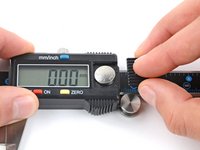
Use the pad of your thumb to slide the battery cover away from the display.
-
Remove the battery cover.
 Ask FixBot
-
-
-
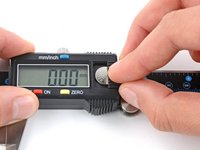
Insert the new battery at a downward angle into its recess, positive (+) side facing up.
-
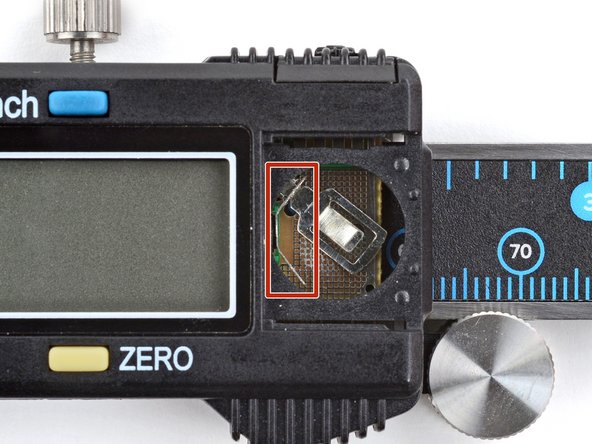
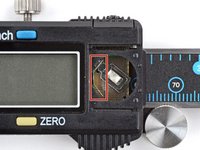
A small piece of angled metal secures the battery in its recess.
-
Press down on the battery so it sits flush in the recess.
-
-
-
-
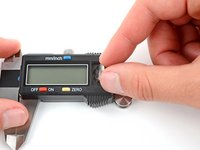
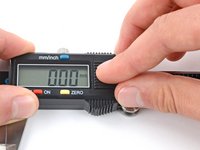
Press the outer edge of the battery down with the cover and slide the cover into place.
-
-




For more information on how to use digital calipers, follow this guide.
Repair didn’t go as planned? Try some basic troubleshooting, or ask our answers community for help.
For other general electronics skills guides, click here.
Cancel: I did not complete this guide.
8 other people completed this guide.


1 Guide Comment
hi i am looking to replace my battery cover for my vernier ams32 any ideas
