Free Shipping on Domestic Orders $75+

Dell Inspiron 3521 CMOS Battery Replacement

What you need

    1. Dell Inspiron 3521 CMOS Battery Replacement, Remove the Battery: step 1, image 1 of 3 Dell Inspiron 3521 CMOS Battery Replacement, Remove the Battery: step 1, image 2 of 3 Dell Inspiron 3521 CMOS Battery Replacement, Remove the Battery: step 1, image 3 of 3
      • Make sure laptop is turned off and unplugged.

      • Turn over the laptop, and push in the clips to take out the battery.

      Ask FixBot

      Add Comment

    2. Dell Inspiron 3521 CMOS Battery Replacement, Remove Surface Cover: step 2, image 1 of 3 Dell Inspiron 3521 CMOS Battery Replacement, Remove Surface Cover: step 2, image 2 of 3 Dell Inspiron 3521 CMOS Battery Replacement, Remove Surface Cover: step 2, image 3 of 3
      • Remove the screws to take off the surface cover.

      • Make sure to keep small screws organized in Step 2 and all subsequent steps to make reassembly easier.

      Ask FixBot

      Add Comment

    3. Dell Inspiron 3521 CMOS Battery Replacement, Remove Hard Drive: step 3, image 1 of 3 Dell Inspiron 3521 CMOS Battery Replacement, Remove Hard Drive: step 3, image 2 of 3 Dell Inspiron 3521 CMOS Battery Replacement, Remove Hard Drive: step 3, image 3 of 3
      • Remove screws securing the hard drive

      • Remove hard drive by pulling on the tab to slide it out.

      Ask FixBot

      Add Comment

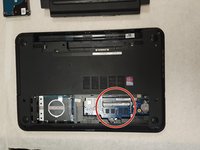
    4. Dell Inspiron 3521 CMOS Battery Replacement, Remove Memory Card: step 4, image 1 of 3 Dell Inspiron 3521 CMOS Battery Replacement, Remove Memory Card: step 4, image 2 of 3 Dell Inspiron 3521 CMOS Battery Replacement, Remove Memory Card: step 4, image 3 of 3
      • Remove the memory card by pressing on the latches on either side.

      Ask FixBot

      Add Comment

    5. Dell Inspiron 3521 CMOS Battery Replacement, Remove Optical Drive: step 5, image 1 of 2 Dell Inspiron 3521 CMOS Battery Replacement, Remove Optical Drive: step 5, image 2 of 2
      • Remove the screws securing the optical drive, then slide out the optical drive.

      Ask FixBot

      Add Comment

    6. Dell Inspiron 3521 CMOS Battery Replacement, Remove All Screws on the Back: step 6, image 1 of 1
      • Remove all remaining screws on the back.

      Ask FixBot

      Add Comment

    7. Dell Inspiron 3521 CMOS Battery Replacement, Remove Keyboard: step 7, image 1 of 3 Dell Inspiron 3521 CMOS Battery Replacement, Remove Keyboard: step 7, image 2 of 3 Dell Inspiron 3521 CMOS Battery Replacement, Remove Keyboard: step 7, image 3 of 3
      • Turn computer over and open it.

      • Carefully pry off keyboard using spudger.

      • Be careful not to damage ribbon cable while removing the keyboard.

      Ask FixBot

      Add Comment

    8. Dell Inspiron 3521 CMOS Battery Replacement, Disconnect Ribbon Cable: step 8, image 1 of 3 Dell Inspiron 3521 CMOS Battery Replacement, Disconnect Ribbon Cable: step 8, image 2 of 3 Dell Inspiron 3521 CMOS Battery Replacement, Disconnect Ribbon Cable: step 8, image 3 of 3
      • Remove the ribbon cable by pulling up on the tab where it is attached, then slide it out.

      Ask FixBot

      Add Comment

    9. Dell Inspiron 3521 CMOS Battery Replacement, Unplug Smaller Ribbon Cable: step 9, image 1 of 3 Dell Inspiron 3521 CMOS Battery Replacement, Unplug Smaller Ribbon Cable: step 9, image 2 of 3 Dell Inspiron 3521 CMOS Battery Replacement, Unplug Smaller Ribbon Cable: step 9, image 3 of 3
      • Unplug the smaller ribbon cable by pulling up on the tab where it is attached, then slide it out.

      Ask FixBot

      Add Comment

    10. Dell Inspiron 3521 CMOS Battery Replacement, Unplug Motherboard Cable: step 10, image 1 of 3 Dell Inspiron 3521 CMOS Battery Replacement, Unplug Motherboard Cable: step 10, image 2 of 3 Dell Inspiron 3521 CMOS Battery Replacement, Unplug Motherboard Cable: step 10, image 3 of 3
      • Unplug the motherboard cable by pulling up on the tab where it is attached, then slide it out.

      Ask FixBot

      Add Comment

    11. Dell Inspiron 3521 CMOS Battery Replacement, Remove All Screws from Palm Rest: step 11, image 1 of 1
      • Remove all screws from palm rest

      Ask FixBot

      Add Comment

    12. Dell Inspiron 3521 CMOS Battery Replacement, Remove Palm Rest: step 12, image 1 of 3 Dell Inspiron 3521 CMOS Battery Replacement, Remove Palm Rest: step 12, image 2 of 3 Dell Inspiron 3521 CMOS Battery Replacement, Remove Palm Rest: step 12, image 3 of 3
      • Remove palm rest by carefully prying it off with a spudger.

      Ask FixBot

      Add Comment

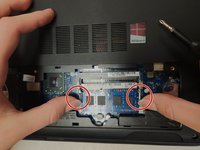
    13. Dell Inspiron 3521 CMOS Battery Replacement, Unplug White Ribbon Cable: step 13, image 1 of 2 Dell Inspiron 3521 CMOS Battery Replacement, Unplug White Ribbon Cable: step 13, image 2 of 2
      • Unplug the white ribbon cable by pulling up on the tab where it is attached, then slide it out.

      Ask FixBot

      Add Comment

    14. Dell Inspiron 3521 CMOS Battery Replacement, Remove Connecting Cable: step 14, image 1 of 3 Dell Inspiron 3521 CMOS Battery Replacement, Remove Connecting Cable: step 14, image 2 of 3 Dell Inspiron 3521 CMOS Battery Replacement, Remove Connecting Cable: step 14, image 3 of 3
      • Gently pull out the connecting cable.

      Ask FixBot

      Add Comment

    15. Dell Inspiron 3521 CMOS Battery Replacement, Unplug the Black and White Cables from Wi-Fi Chip: step 15, image 1 of 2 Dell Inspiron 3521 CMOS Battery Replacement, Unplug the Black and White Cables from Wi-Fi Chip: step 15, image 2 of 2
      • Unplug the black and white cables connected to the Wi-Fi chip.

      Ask FixBot

      Add Comment

    16. Dell Inspiron 3521 CMOS Battery Replacement, Remove Screen: step 16, image 1 of 2 Dell Inspiron 3521 CMOS Battery Replacement, Remove Screen: step 16, image 2 of 2
      • Disconnect screen by removing all remaining screws.

      Ask FixBot

      Add Comment

    17. Dell Inspiron 3521 CMOS Battery Replacement, Remove Wi-Fi Chip: step 17, image 1 of 2 Dell Inspiron 3521 CMOS Battery Replacement, Remove Wi-Fi Chip: step 17, image 2 of 2
      • Remove screws securing the Wi-Fi chip, then remove Wi-Fi chip.

      Ask FixBot

      Add Comment

    18. Dell Inspiron 3521 CMOS Battery Replacement, Unplug Connecting Cables on Motherboard: step 18, image 1 of 2 Dell Inspiron 3521 CMOS Battery Replacement, Unplug Connecting Cables on Motherboard: step 18, image 2 of 2
      • Locate and disconnect connecting cables on motherboard.

      Ask FixBot

      Add Comment

    19. Dell Inspiron 3521 CMOS Battery Replacement, Remove Motherboard: step 19, image 1 of 2 Dell Inspiron 3521 CMOS Battery Replacement, Remove Motherboard: step 19, image 2 of 2
      • Remove the remaining screws securing the motherboard to remove it.

      Ask FixBot

      Add Comment

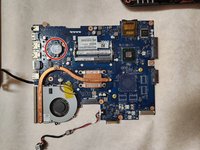
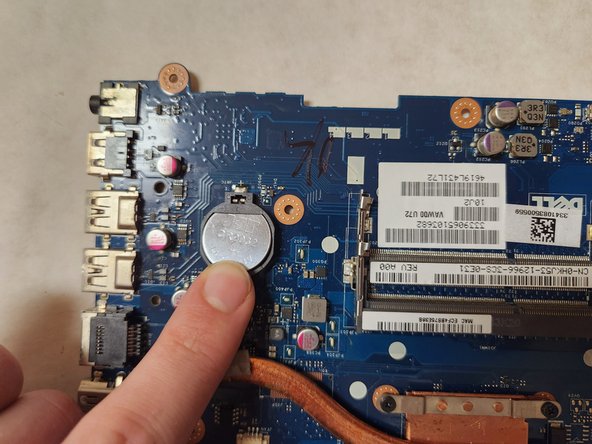
    20. Dell Inspiron 3521 CMOS Battery Replacement, Remove CMOS Battery: step 20, image 1 of 3 Dell Inspiron 3521 CMOS Battery Replacement, Remove CMOS Battery: step 20, image 2 of 3 Dell Inspiron 3521 CMOS Battery Replacement, Remove CMOS Battery: step 20, image 3 of 3
      • Flip over motherboard and locate CMOS battery

      • Pry off battery with spudger.

      Ask FixBot

      Add Comment

    21. Dell Inspiron 3521 CMOS Battery Replacement, Replace CMOS Battery: step 21, image 1 of 2 Dell Inspiron 3521 CMOS Battery Replacement, Replace CMOS Battery: step 21, image 2 of 2
      • Place new CMOS battery in motherboard.

      • Repeat all steps backwards to reassemble computer.

      Ask FixBot

      Add Comment

Conclusion

To reassemble your device, follow these instructions in reverse order.

Cancel: I did not complete this guide.

2 other people completed this guide.

Victoria Rivera

Member since: 04/14/23

376 Reputation

1 Guide authored

2 Guide Comments

Dont wast you time for these steps because this model 3521 ,only 2nd step enough for remove cmos battery . Once remove the Surface Cover ,you can see the cmos battery .. no need to remove all the components .thanks me later .

Stuff Srilanka - Reply Share

Thank you, kind man)

Александр Кашенцев - Reply Share

Add Comment

View Statistics:

Past 24 Hours: 8

Past 7 Days: 18

Past 30 Days: 72

All Time: 1,986