
ClickN Kids Tablet Battery Replacement

Kevin Finney and 5 other contributors
Last updated on Jun 30, 2023
Views: 5.5K
View statistics:
- Past 24 Hours:
- 3
- Past 7 Days:
- 17
- Past 30 Days:
- 98
- All Time:
- 5,472
Comments: 3
3 guide comments.
Go to guide commentsCompleted: 5 6
5 people have marked this guide "completed." Will you be next?
6 people have marked this guide "completed." Including you — great job!
Favorites: 1 2
1 person has favorited (and subscribed to) this guide. Will you be next?
2 people have favorited (and subscribed to) this guide — including you!
Mismatched Prerequisites
This guide does not have a proper prerequisite guide. Help match it to its ideal partner by finding it or writing one!
Needs Better Images
Better photos will improve this guide. Help out by taking, editing, or uploading new ones!
Introduction
Go to step 1 ↓The Clickn Kids Tablet (Android CK07T-PK-8) is a toy beloved by many children, but when the battery dies it often ends up getting tossed away or forgotten. The battery is a vital part of the tablet and it is not useable without it. A tablet with a broken battery may have a black screen or die quickly when in use. By following these steps, you can extend the life of your Clickn Kid tablet.
In order to replace the battery, you will need experience in soldering, patience and a careful touch. Removing batteries can carry the risk of battery acid leakage, so please ensure not to bend battery more than necessary. To find out more about soldering, please visit the link below.
What you need
Tools


-
-
-
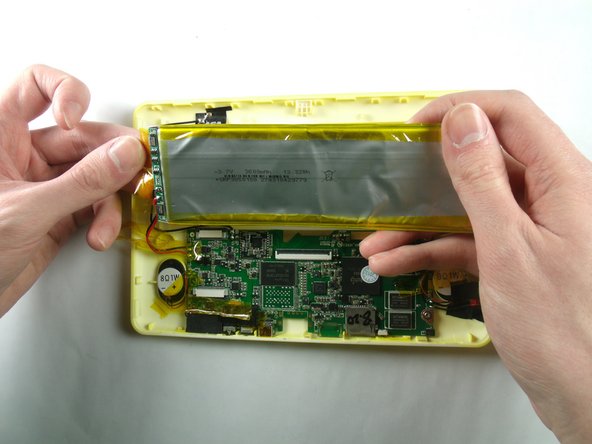
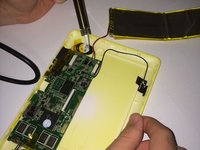
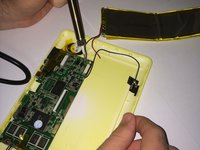
Gently remove tape from the side of the battery connecting to wires and circuits.
-
-
-
-
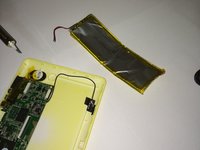
Desolder wires connecting battery to motherboard, using contact points found on motherboard.
-

 Ask FixBot





To reassemble your device, follow these instructions in reverse order.
Cancel: I did not complete this guide.
5 other people completed this guide.

Team

Baylor, Team 4-4, Williams Spring 2015 Member of Baylor, Team 4-4, Williams Spring 2015
BU-WILLIAMS-S15S4G4
3 Members
48 Guides authored
3 Guide Comments
A little then moderate skill is necessary if you are somewhat mechanically inclined shouldn't be too problematic. But as far as this gentleman's directions and steps perform the task with no problems and tablet works now. Thank you Kevin Finney and three others my four-year-old daughter Hazel is happy again thanks to you.
Collins Hill
Great Smoky Mountains , TN.
I think these are great instructions for fixing this issue!
If you'd be interested in going a step further…I've been trying to find out how to safely remove the charge port! I know how to solder the replacement onto the board but I can't confirm the best way to detach the old port!?
My god daughter would appreciate another video! :)
