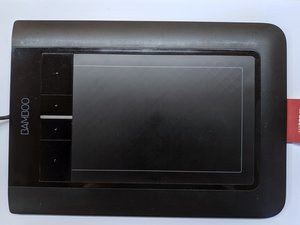
- Released: 2010
- Included pen: Wacom LP160E Pen, Wacom EMR, battery-free
- Pressure levels: 1024 (pen tip and eraser)
- Touch: Multitouch touchpad with Wacom gestures support. No Windows 10+ touchpad gesture support.
- Programmable buttons: 4 on the tablet, 2 on the pen.
- Windows Tablet API Support: Wintab, Windows Ink
- OS Support: Windows XP, Vista, 7, 8, 8.1, 10, macOS (unknown)-10.12, Linux
All supported pens have 2 buttons. Models with letter E also have an eraser on top of the pen.
- LP160
- LP160E
- LP161E
- LP170
- LP170L
- LP170K
- LP170KS
- LP171
- LP1710K
- LP180E
- LP180ES
Source: machollywood.com
- Pop-up menu cannot be bound to tablet buttons, only pen buttons.
- Hover click supported.
- Windows Ink support for Windows 10
- Adjustable pressure force.
- No pressure curve.
- Bindable to selected monitor and area.
- Toggle to force active proportions (for drawing circles etc.)
- Mouse mode with adjustable mouse sensitivity and acceleration (non-dependent on OS settings)
- Touch an be turned off and toggled with a programmable button.
- Right handed and left handed mode. No vertical mode.