
Keyboard

|
3 Answers 0 Score |
Can't open a word file |
Determining that you're indeed using the Sharp PC-MM20 is very easy. When you open up your laptop, you will notice "Sharp PC-MM20" right below the screen.
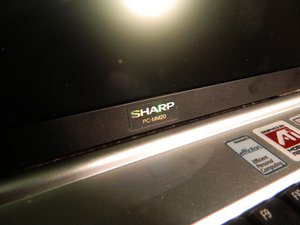
Also, if you turn the laptop over and look at the bottom, below the battery, there is a label. On the label, you can see the words "PC-MM20" above the barcode as well.
These two ways are great ways to verify that you are indeed working with the Sharp PC-MM20.

For help with common problems, visit the Sharp PC-MM20 Troubleshooting Page.
OAK-RUSZKIEWICZ-F12S1G1
1 Member
12 Guides authored
Past 24 Hours: 0
Past 7 Days: 11
Past 30 Days: 47
All Time: 2,391



