RAM Memory

This wiki is being worked on by hardworking students.
There are no questions. Be the first to ask a question!
39V1H, 9D3YW, FPKNM
Using the link provided below you can be taken to our trouble shooting page. There you can find ways to trouble shoot your overheating Dell Latitude 5520 during use. There will be easy steps you can follow including cleaning vents and internal fans, identifying background draining, turning on energy savers, checking battery health, and identifying a swollen battery.
Dell Latitude 5520 Overheating During Use - iFixit
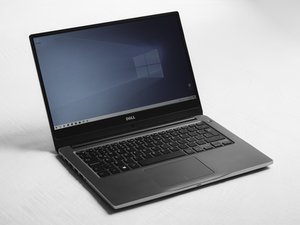
The Dell Latitude 5520 was officially released from the Dell Technologies company in March 2021 and was one of several computers added to its corporate-focused Latitude series; which was specifically engineered for business professionals. It comes with a 15.6” screen and features 11th generation Intel Core processors. Its release came during a time of a significant change in the laptop market due to the COVID-19 pandemic, and the Dell Latitude 5520 was created to support remote and hybrid work trends using Intel’s 11th Generation Core processors. While it was being manufactured and sold in stores, the Dell Latitude 5520 was not exclusive to any part of the world; it was a globally distributed business-class laptop. In early 2025, the Dell Technologies company announced the retirement of their Latitude brand, which included the Dell Latitude 5520, as a part of a major company-wide rebranding.
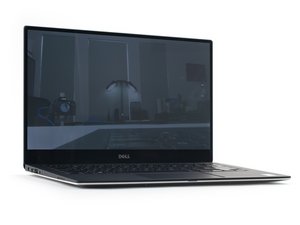
The Dell Latitude 5520 can be identified in a couple different ways. It has a 15.6 inch display, with a Dell logo centered below the display. It will have a latitude branding on the palm rest area. The model name will be “Latitude 5520”, and the regulatory model will be P104F. There will also be a service tag label located on the bottom cover. To identify the exact device, turn the laptop over, locate the service tag sticker on the bottom panel, and enter the service tag at dell support to verify the model.

Past 24 Hours: 2
Past 7 Days: 43
Past 30 Days: 228
All Time: 4,677