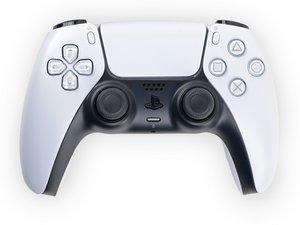

How do I fix stick drift
when im playing a game or navigation through the home lobby my left stick causes me to drift to drifting direction most the left side area
Is this a good question?
Score
0
Rep: 209
 7
 1
Stick drift is quite common. Sticks will start having some wear and tear from constant use. Consoles have their own ways to adjust the "deadzone" of sticks with software. This will fix your issue at least for a temporary time, but is no permanent solution.
First try cleaning around the sticks if you haven't already. Some cotton swabs/q-tips can help. Blow some air in too as it might dislodge any dust or small debris. Stuff like that can screw with the sticks a bit. If that doesn't solve it then you likely need to do some disassembly.
THIS is a guide on opening the controller and fixing sticks with the dualsense v1.
Was this answer helpful?
Rep: 1k
19
10
 33
Hello @kgothatsio40972!
Well, as luck would have it, there really is no "quick fix" for stick drift on PS5 controllers. It's a known issue, but even though you can't fix it, there are workarounds and other solutions. First off, before trying to fix them yourself by buying a pair of Hall effect or similar sticks, try adjusting your interior deadzone in your games. Most AAA games have a setting that allows you to change how much you have to move the stick for it to do anything. Try adjusting that before making the decision to buy new sticks and solder them yourself. Here's a video on how to do that if you're curious: https://www.youtube.com/watch?v=gutW_ABG...
Hope it helps!
Was this answer helpful?
Past 24 Hours: 8
Past 7 Days: 69
Past 30 Days: 69
All Time: 69


