Up to 20% off select tools
Free Shipping on Domestic Orders $75+

Biometric fingerprint needs Calibration

I need my phones biometrics fingerprint re calibrated

Answer this question I have this problem too

Is this a good question?

Score 0
Add a comment

1 Answer

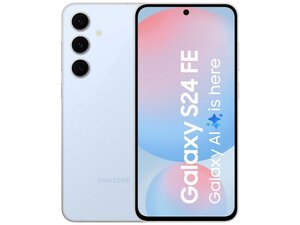
A "fingerprint sensor calibration needed" error on a S24 FE usually happens after a software update, screen replacement, or when the sensor configuration loses sync.

Quick Fixes to Try First

  • Restart and clean: Restart your phone and wipe the screen over the fingerprint sensor and your fingertips so they are clean and dry.
  • Turn on Touch sensitivity: If you use a screen protector or tempered glass, go to Settings > Display and enable Touch sensitivity.
  • Re-register fingerprints: Remove existing prints under Settings > Security and privacy > Biometrics > Fingerprints, then add them again slowly—including the edges of your fingertip.
  • Use "Improve accuracy": Open your registered fingerprint in settings, tap Improve accuracy, and scan the same finger 10 times.

Reset Settings or Get Hardware Calibration

  • Reset settings: If a glitch or update caused the message, a guide on Samsung Fingerprint Sensor Not Working notes that resetting accessibility or device settings can clear the prompt after a software sync issue.
  • Repair or service center calibration: As explained in Fix: Fingerprint Sensor Not Working in Samsung After Screen Replacement, replacing a display or having a faulty sensor often requires official calibration or service tools. If the screen was recently repaired or the error stays, contact Samsung Support or an authorized repair shop.

Was this answer helpful?

Score 0
Add a comment

Add your answer

MILLET CTS will be eternally grateful.
View Statistics:

Past 24 Hours: 1

Past 7 Days: 25

Past 30 Days: 56

All Time: 56
