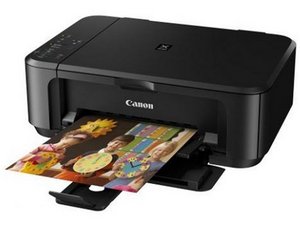

Canon Printer pixma MG5220 Error code B200
Canon Printer pixma MG5220 Error code B200 Will not power up
Is this a good question?
Score
0
Canon Printer pixma MG5220 Error code B200 Will not power up
Is this a good question?
Rep: 863.3k
 1.5k
1.5k
 981
981
 2.4k
2.4k
@timm71178 the error code B200 is listed as having multiple parts that need to be checked:
(1) Print head condition (face surface and mold):
If a burn mark or heat deformation is seen on the face surface or the mold, replace the print head and the logic board in set. (Be sure to replace them at the same time.)
(2) Burn mark or heat deformation of the logic board:
If a burn mark or heat deformation is seen on the logic board, replace the print head and the logic board in set.(Be sure to replace them at the same time.)
(3) Head contact pin condition of the carriage unit:
If the pin is bent or deformed, replace the carriage unit.
(4) Cable connection:
- CR FFC (J502, J501, J500) Re-connect the cable. If any damage or breakage of the cable is found, replace the carriage unit.
Most common issue is that the printhead or logic board has experienced an electrical short, or the printhead nozzles are severely clogged. To work on your print head use the Canon PIXMA MG5220 SM and here are some general instructions on how to Cleaning Print Heads
Was this answer helpful?
Past 24 Hours: 1
Past 7 Days: 4
Past 30 Days: 14
All Time: 14

