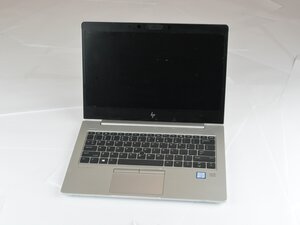

Fingerprint is not working
See image content:

Is this a good question?
Score
0
Rep: 861.8k
 1.5k
1.5k
 978
978
 2.4k
2.4k
@fauzansualah it is just not sufficient to leave an image and refer to "See image content" All we know is that you say your "Fingerprint is not working" but you are not telling us what you have already checked and what you have already tried. Help us to help you by giving us the details.
So let's start somewhere in the beginning. Start the laptop and repeatedly tap F10 to enter the BIOS. Check under the Security or Advanced settings to verify that the biometric device is enabled.
Now go into your version Windows and open Device Manager, expand the "Biometric devices" section, and look for your fingerprint sensor. Uninstall the device completely (make sure to check the box to remove the driver software), then reboot and install the latest fingerprint driver directly from HP's support site.
If the BIOS shows it as enabled but Windows still refuses to see it after a reboot and reinstalling the latest driver, you are likely looking at a hardware issues with the fingerprint scanner module. To work on that you can download the maintenance manual for your computer from this site HP EliteBook 830 G6 under the Documents header. Page 63 deals with the Fingerprint reader.
Was this answer helpful?
Past 24 Hours: 11
Past 7 Days: 11
Past 30 Days: 11
All Time: 11

