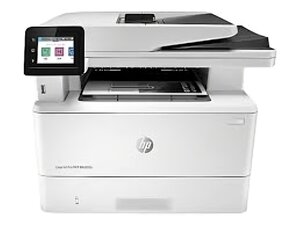

No power when I start the printer
No power or noise when I start the printer, the cable is ok i test it.
Is this a good question?
Score
0
No power or noise when I start the printer, the cable is ok i test it.
Is this a good question?
Rep: 860.3k
 1.4k
1.4k
 974
974
 2.4k
2.4k
@moutazmoussa since your printer has no sign of life I would suggest you start with the power switch and the power supply. Printers in general are a pain to work on and require plenty of steps to get to whatever parts needs to be worked on. In your case use the HP LJ Pro M304 M305 M404 M405 Mfp M329 M428 M429 Repair Manual Page 561 shows you how to get to the power supply. Once there, you can check that for damage, blown fuses etc. If you have any questions along the way, post soem good pictures of the area that you are stuck with Adding images to an existing question. That way we can see what you see.
Was this answer helpful?
I put a M426 in service for someone (before I realized it's a nightmare compared to the bulletproof 2015 and older engines/firmware stack) - no power switch on these unlike the giant commercial models. The FP Power button is the "power switch". If the PSU checks out, that's next in line on these.
Past 24 Hours: 0
Past 7 Days: 10
Past 30 Days: 47
All Time: 61

