Free Shipping on Domestic Orders $75+

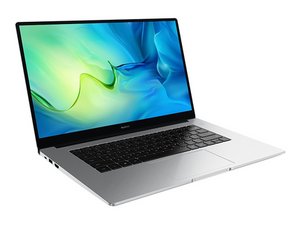
A 15.6in laptop with an identified by model number: BoB-Wai9

No Boot Device After Turning On the Secure Boot

Huawei MateBook D 15

I tried to enable Secure Boot.I got the error No Boot Device, I can only go into windows when I disable it. But I need the Secure Boot enabled so I can play Valorant.

When the Secure boot is enabled Bios does see the SSD

Is it a problem with the Windows UEFI do I need to format the PC.

Güncelle (07/21/26)

It does show the asterisk. But I dont have the Bios setting for CSM/Legacy support does not exist in BIOS. I tried to reset the BIOS, nothing changed What should I do?

Answer this question I have this problem too

Is this a good question?

Score 0
Add a comment

1 Answer

Hello, it could be a couple of things I can think of, to help find out the cause, boot into Windows with Secure Boot off, open a command window cmd ctrl-shift-enter or just open admin cmd,

type:

diskpart , hit enter

type:

lis dis , hit enter (short for list disk)

check the output, find your disk - in the GPT column for your drive is there an asterisk? If not, then that is why. You would need to investigate mbr2gpt conversion, which can be... a little more tricky, or not!

If your disk is GPT format already, then the culprit could be in BIOS settings, look for Legacy/CSM Support type options, usually they are off when Secure Boot is turned on, but it really depends on the BIOS... (search up your motherboard and BIOS version + secure boot may help?)

Was this answer helpful?

Score 0

1 Comment:

It does show the asterisk. But I dont have the Bios setting for CSM/Legacy support does not exist in BIOS. I tried to reset the BIOS, nothing changed What should I do?

by

Add a comment

Add your answer

Eren Günaydın will be eternally grateful.
View Statistics:

Past 24 Hours: 0

Past 7 Days: 24

Past 30 Days: 24

All Time: 24
