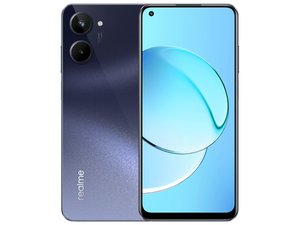
My camera is not scanning the qr code
my camera is not scanning the qr code and my flashlight constantly showing camera in use
Is this a good question?
Score
0

my camera is not scanning the qr code and my flashlight constantly showing camera in use
Is this a good question?

Rep: 501k
 35
35
 344
344
 977
977
You may need to reset your phone if the phone is telling you some application is controlling the camera! You maybe infected with a virus spying on you!
Make sure you phones OS is up-to date and you have a good Anti-virus / Malware app installed. Did you install any Apps recently? One maybe the spy!
Was this answer helpful?

Rep: 855.3k
1.4k
966
2.4k
@sam44685 try to see if this is related to one of your Apps. You disable all but the factory Apps by putting your phone in safe mode.
Now see what your camera and the flashlight tell you about the camera status. If it is normal now you know the issues are related to the third party Apps. You will have to uninstall those to clear this issue.
If the issue is also not resolve in Safe mode, consider performing a factory reset to restore the factory software and Apps. A factory reset erases all of your data. That includes your photos, music, contacts Apps etc. You also have to make sure you know the password to the Google account that was used when you first set up your phone. Without that you will not get into your phone since the Android FRP requires this to allow you to use the phone. Make sure that you backup your phone before doing this.
Since you still have access to your phone you can do a factory reset via the Settings menu. Go to Settings --> System/Additional Settings --> Back up and reset --> Reset Phone --> Erase all data, and confirm by tapping Erase data
If your camera should still have the same issues, then it will be hardware related. Possibly a bad camera module or a bad camera flex cable.
Was this answer helpful?
Past 24 Hours: 3
Past 7 Days: 13
Past 30 Days: 42
All Time: 83
