Free Shipping on Domestic Orders $75+

1.7 GHz dual-core Intel Processor (Turbo Boost up to 2.6 GHz) with 3 MB shared L3 cache

3x 64 GB SSD - Q Folder @ Boot

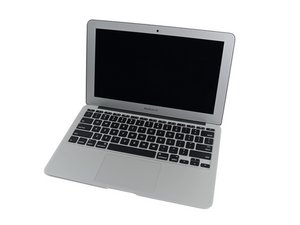
2012 MBA A1465 11" - Tested with 3x SSD's & all I get is a Q folder at boot. I know these SSD's do fail as they are so small in capacity, but one of them I was previously able to clean install OS Catalina on using another unit and that one aaso displays the Q folder on this unit that arrived for this same issue. @oldturkey03 Could this be a board issue and if so where to check as I currently don't have another working 2012 to test these SSD's on as they are the 7/17 pin layout unique to this series of Macbook.

Answer this question I have this problem too

Is this a good question?

Score 0
Add a comment

1 Answer

Most Helpful Answer

Did you reformat the SSD's with GUID and install the journaled file system? Some of the other formats won't allow the needed boot block to be present like NTFS and exFAT.

If you are able to access the system from as external check to make sure the internal is blessed. Open up system preferences and select Startup Disk to then select what is the disk you want to start the system this sets the systems firmware. The system can get confused which drive to boot from when the disk name is altered.

This is not a logic board issue if you can see the drive, but there have been some SSD's that needed their firmware updated.

Was this answer helpful?

Score 1

7 Comments:

I don't know which system was running on this unit and the source has no clue either. I have tried booting with HS 10.12 but it froze out on me and I gave up after waiting 20 minutes. When I try to clean install Catalina it displays only a 30kb part The main drive under show all devices also has the small recovery partition, but there is no 64 GB drive detected, this is with 3 SSD's the same. I guess I have to try with older systems until I get lucky as I have no option to format these drives. SIERRA did it! 10 for @danj. Installing HS now then have to do it the Apple way of updating system by system to get this back on the road (sale shelf)

by

@danj Well, I thought it was going OK installing HS but then it failed and now again I cannot erase or format the drive again as it is not displayed in disk utility. Bummer. Tomorrows task to troubleshoot it. Internet recovery is not available. it just goes to a Q folder.

by

@danj So, I booted externally into EL Capitan and set the date, time and clock, opened disk utility, but there is no internal drive displayed. Restarted externally into Sierra and I enter the PW but the screen then just goes off, pushing any key the screen is back on but I need to enter the PW again, repeat, repeat, I cannot go beyond the enter PW prompt. I noticed the clock was again incorrect. Booted into Yosemite externally, the time and date was correct, but no internal drive is found. I booted externally again into Sierra and all went well, set the date and time, and the internal drive is found, I erased it and now attempted to install Sierra internally..... no drive found, HS the same, I can only think either the boot ROM is incorrect or the drives have indeed are failing.

by

@livfe - It's starting to sound like this system was upgraded to APFS which also effects the given systems firmware to boot under it.

To be clear what is the external drive? Is Sierra or older, or is it High Sierra or newer. Don't try internet recovery as it will only install the older GUID/HPS+ but the firmware is expecting GUID/APFS so it won't boot.

Completely wipe the drive repartition and OS install High Sierra or newer from a local boot drive.

by

@danj I am trying that (Edited the last comment), attempting next Mojave (No drive found), and then to Catalina (No drive found). I did manage previously to erase the drive. and format OSJ GUID.... What if I try in target mode to see if the drive is found using a Monterey unit to wipe the drive ?

by

Show 2 more comments

Add a comment

Add your answer

livfe will be eternally grateful.
View Statistics:

Past 24 Hours: 25

Past 7 Days: 45

Past 30 Days: 45

All Time: 45
