
Free Shipping on Domestic Orders $75+

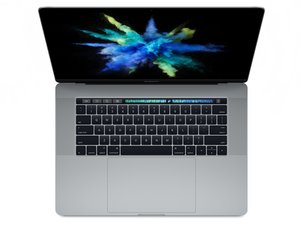
Model Number A1707. Released June 2017, this MacBook Pro features Kaby Lake processors up to the 2.8 GHz quad-core Intel Core i7 processor with Turbo Boost up to 3.8 GHz.

SSD not showing up in Disk Utility

I just replaced the battery and now the internal SSD does not show up in Disk Utility when trying to perform and OS upgrade. It boots fine as is but I cannot upgrade it.

Answer this question I have this problem too

Is this a good question?

Score 0
Add a comment

2 Answers

If the internal drive is allowing the system to boot up the drive is present and working. Are you booting up under an older version of maOS (OS recovery)? It's likely the Disk Utility is an older version not the one the system is running on (not compatable). Apple altered the file system back in Sierra 10..12.x from HPFS to the newer APFS starting in High Sierra 10.13.x ideally you want to be running macOS Mojave 10.14 or newer.

Instead of trying to upgrading via the traditional way you need to create a bootable OS installer drive as Apple messed up the system firmware failing to jump to a newer server based version if the system was upgraded back when the APFS changed over!

To fix things!

Get a 32GB USB-C Thumb Drive or other unused drive. Reformat it to GUID with HPFS (Journaled File System), now download from Apples servers the version of macOS you want to upgrade to that the system was still supported by Apple (maOS 13.x (Ventura). If you want something still newer after you get to Ventura, you can use OpenCore upto what it supports bypassing Apples limit.

Go here to get the OS installer files Use the App Store and how to convert the USB drive the file is sitting on into a bootable drive Use a bootable installer from here: How to download and install macOS

Was this answer helpful?

Score 0

2 Comments:

Thank you. I am currently running Ventura 13.7.8. I have created 2 bootable usb drives using OpenCore with Sonoma and Sequoia. May MacBook had been running Sequoia prior to replacing the battery. I needed to downgrade to Sonoma though because some things weren't working properly in Sequoia. After replacing the battery is when I started having issues with Disk Utility not showing the internal ssd. I did a CMD+OPT+R internet recovery to go back to Ventura and now I can't get the OpenCore install to see the internal drive. I thought maybe there was something that I may have missed during the battery replacement process. Thanks

by

@scottbodager - Sadly, down grading is a pain! As you need to blowup the drive and start afresh! Hopefully you have the orginal sources of your Apps and backed up everything as well. Create the bootable external and then reformat the internal using disk Utility from the external.

by

Add a comment

The guide to uninstall OCLP https://dortania.github.io/OpenCore-Lega...

Here is a video on the process also https://www.youtube.com/watch?v=05hCzvKU...

You can also use Mist https://github.com/ninxsoft/Mist to download the latest installer apps & create bootable installers easily to USB.

I believe that you need to uninstall the root patches before wiping the drive & installing a different system?

Was this answer helpful?

Score 0

6 Comments:

Yes! That is the case a big pain!

by

@scottbodager I am not sure if this will work to wipe the drive because your SSD is non removable you could try wiping the patched SSD in target mode with another mac in disk utility. I haven't tried this as yet but it maybe worth a try.....remember to 'show all devices' when in disk utility.

by

@livfe - Using. Bootable external is the only way that's worked for me.

by

@danj That is another option to try and if it worked for you then that can be the way. Either way, it is a headache to get the right system with the matching boot ROM to get out of this. My experiences revolve around removable SSD models which gives more possibilities, but, not applicable to this model. Did you boot with 'any' system externally, or one with a patched OS?

by

@livfe - The highest Apple supported for the given model in this case Ventura was needed.

by

Show 1 more comment

Add a comment

Add your answer

Scott Bodager will be eternally grateful.
View Statistics:

Past 24 Hours: 0

Past 7 Days: 4

Past 30 Days: 69

All Time: 69
