Free Shipping on Domestic Orders $75+

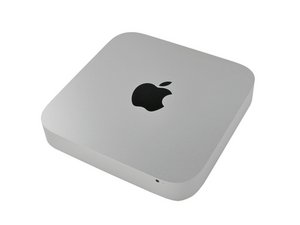
Originally released on January 22, 2005, the Mac mini is a small form-factor desktop computer made by Apple Inc. Currently, it is one of the four desktop models in the Macintosh lineup, and serves mainly as an alternative to the all-in-one iMac.

2011 Mac mini (Radeon 6630M) Way Underperforming?

I picked up one of these Macs cheap on ebay. I was formerly using a 2010 mini with the nVidia 320m integrated GPU for classic retro gaming. The system is connected to a TV and a PS4 controller. I mainly play emulated via OpenEMU, and also bootcamp into windows 10 to play GTA Vice City and GTA San Andreas.

Somehow I completely forgot that Apple ever made a discrete GPU Mac mini. Having realized that, I looked up GPU benchmarks and found that the 6630m GPU is kind of decent. Many times mower powerful than the 320m that came before it, or the Intel HD 4000 that came after it. Based on benchmarking the 6630m vs the minimum GPU system requirements for GTA4, I should be able to play that game on it too!

Those are the specs. Now here's the reality. The mini's GPU runs really good for half a minute or so? Then the fan in the mini maxes out, and the GPU throttles so bad, the framerate tanks. IN FACT, its so bad, that I had to dial back the graphics settings in GTA San Andreas to MATCH what I play on the nVidia 320m!!! So on a Mac with over 3x the GPU performance, I'm effectively getting the exact same amount of real-world performance.

My first thought was, Windows 10 must be broken, I should revert to Windows 7!
But after continued use, I'm not sure that's the issue. The second most obvious problem might be bad thermal paste? I know that replacing thermal paste on Macs is all the rage these days, but its not usually as effective as "reddit" would make it seem. But that said, I am in a case where I'm trying to max this machine out. So maybe its worth while to pop off the heat sink, clean it all down, and put some fresh paste on it? If I do go this route, is it worth buying some fancy kind of paste, or will any new, unopened paste be fine?

Any other thoughts on what might be going on? I would be very happy if I could use this mini to play GTA:SA at full native 1080p, and if I could play GTA4 at any decent, playable graphics level.

Answer this question I have this problem too

Is this a good question?

Score 0
Add a comment

1 Answer

I'm not much of a gamer, but the more powerful graphics do push the systems graphics logic harder!

I would start off trying to get a handle on the systems cooling. Install this great app to monitor the thermals TG-Pro then watching it you should see the temp spike at the CPU/GPU chips then soon after the heat exhausted out by the fan. So is the heat effectively getting to the heat pipes? Is the heat pipes giving up the heat?

You may need to clean the old thermal paste (TIM), it's also possible the heat pipe has lost its coolant as they did then to leak, lastly the fan and the rest of the system may need a good clean as the dust buildup prevents things to cool effectively.

Was this answer helpful?

Score 0

2 Comments:

Just replaced the thermal paste tonight, no change. The paste I used didn't look great though so I dunno, maybe I replaced bad paste with bad paste. But the old stuff didn't really look bad either. It wasn't that dry and crumbly.

Anyway, zero change in behavior. The mac very easily overheats and gets super laggy when playing games.

A also did blow the fan and heatsink fins with air. Even though there was very little dust, figured I'd blow out what little was there.

I don't really have any Mac games that are that GPU intensive. All the stuff I run on macOS are NES emulators that don't rev up the fans at all. I need a windows utility that can show me fan speed and cpu and gpu temps. I wonder if windows 10 might be maxing out the CPU while i'm gaming with some unrelated tasks and thats what overheating, not the GPU.

by

@johnm23291 - Intel DOS/Windows games via BootCamp shouldn't be an issue, but running emulators on top can be!

If you are not running BootCamp but instead running Windows directly that bypasses the systems sensors but you stated you had been running BootCamp. I would still install TG-Pro so you can record in time what's happening and looking at Activity Monitor to see what's chewing on the systems resources.

by

Add a comment

Add your answer

John M will be eternally grateful.
View Statistics:

Past 24 Hours: 1

Past 7 Days: 3

Past 30 Days: 45

All Time: 45
