
Free Shipping on Domestic Orders $75+

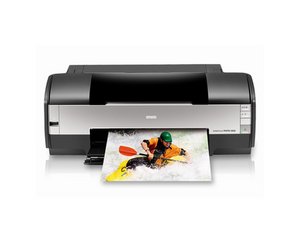
A series of inkjet printers manufactured by Epson.

Error "E-01" on power-up

Epson Stylus SX-210 and SX-218: On first power-up menu asks for display language, after selection and confirmation, printer shortly moves head then makes a 1s tweeting noise, stops and says "Error E-01" press power button to turn off. If not locked print head can be easily moved by hand. Ribbon cable and belt look perfectly okay. Ideas anyone?

Answer this question I have this problem too

Is this a good question?

Score 0
Add a comment

1 Answer

You can get a lot more info by asking your brouser, but basically

An Epson E-01 error typically indicates a paper jam or a carriage blockage that prevents the print head from moving freely. To fix this, turn off the printer, unplug it, and check for jammed paper, debris, or foreign objects, especially under the scanner unit and in the rear paper feed.

Was this answer helpful?

Score 0
Add a comment

Add your answer

Cäptn Mäc will be eternally grateful.
View Statistics:

Past 24 Hours: 0

Past 7 Days: 3

Past 30 Days: 26

All Time: 35
