Free Shipping on Domestic Orders $75+

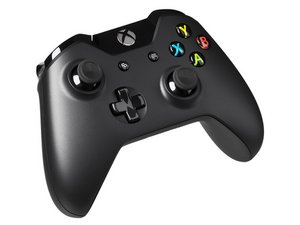
Repair information and disassembly guides for wireless Xbox One and Xbox Series X|S controllers.

Joysticks jumps around after replacements

Block Image

I've replaced joysticks on two controllers now and ran into the same issue both times.

Simply put, the joysticks wobble around from one direction to the other constantly, and one stick won't work aside from the LS click. All solder connections are working(checked continuity), no burnt off pads and no bridges as far as I can see.

In the first controller, i swapped one stick and it caused this on both. On the new one. I swapped both and both are affected, but one stick doesn't work at all.

LS is a third party replacement stick and doesn't react to movement. Jumps from left up to right down.

RS is a harvested stick from a broken controller and reacts to movement, but jumps from left to right.

Answer this question I have this problem too

Is this a good question?

Score 0
Add a comment

2 Answers

Hi!

Okay, I would get the stick out and remove all the solder, everything that is on there. Can you post another photo regarding the solder pads without solder on it?

Buy 2 quality sticks and make sure it's compatible with the Xbox One controller.

Solder them in with quality solder and try again.

Also, check on gamepadtester to see if they are working.

Can you try the above and let us know how that goes?

Thanks!

Was this answer helpful?

Score 0
Add a comment

Had a similar issue on an Xbox controller, installing some resistors fixed the issue. Here is a Reddit post that has some information on the issue. https://www.reddit.com/r/XboxController/...

Was this answer helpful?

Score 0
Add a comment

Add your answer

Emil Östergren will be eternally grateful.
View Statistics:

Past 24 Hours: 0

Past 7 Days: 7

Past 30 Days: 36

All Time: 62