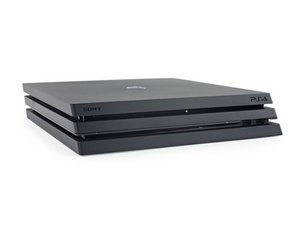

PS4 Pro Optical Drive Not Engaging to Pull in Discs
Trying to diagnose an issue with our PS4 Pro (model CUH-7015B). My son took it apart to clean and apply new thermal paste (everything was working, but he said it was warm). He put it back together and it powers on fine, but when you try and insert a disc, the rollers do not come on to pull the disc in.
Observations:
- He took it apart with a disc in the drive
- When powered up, it would not eject the disc, so we had to manually eject the disc
- When he removed the ribbon cables, he just pulled them out (didn't release the latch on the large drive ribbon cable)
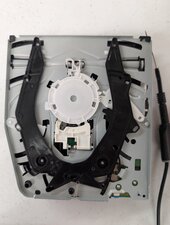
- When I took the drive apart (he did not take the drive apart previously) I noticed it appears to be missing a white plastic piece from the top metal plate next to the manual eject screw based on comparing it with pictures online
- If I put a disc in until I meet resistance then use the manual eject to pull it in, it pulls in fine and everything appears to be functioning, so maybe we're not missing that piece. No idea how it could be missing since we'd never had it apart before.
- When I press eject with no disc in, it beeps 3 times which I read means there is no disc, so it appears to know it's empty.
- When I try to insert a disc with the console off, it turns on, so it recognizes me trying to put in a disc.
What I've checked:
- Both fuses F6201 and F6202 on the motherboard have continuity with .2 ohms resistance max.
- All three ribbon cables have continuity from the motherboard pins to the daughter board pins, so ribbon cables appear to be fine.
- All the micro switches (3 that I can find) inside the drive are open when the pin is extended and closed when pushed in/arms are open to accept a disc.

Is this a good question?
Score
0

 20
20  19
19  35
35 