
Free Shipping on Domestic Orders $75+

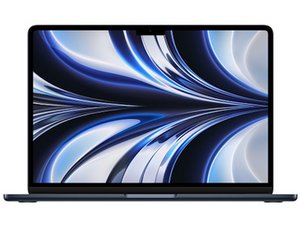
Repair guides, support, and troubleshooting information for the 2022 13-inch MacBook Air, featuring Apple's M2 SoC. Released on July 15th, 2022 and identified by model number A2681.

Removing fractured glass bezel

Apple replaces the whole screen in this case, which is a large waste of resources (I am not replacing screen, I am just replacing the bottom strip that protects the flex cables). Problem is the flex cables are right under the bezel, so clearly any wrong poke into them would break them and cause a full screen replacement to be necessary. I was thinking of doing [something like this](https://www.youtube.com/watch?v=DrQM4EZO...), only the model is different so I am concerned I may break something without realising since I assume the design is the same as the model shown in the video. Any experience / suggestions? So far all the repair shops I've been to just want to replace my entire screen, yet M2 Macbook Air bezel replacements cost 15 bucks on Ebay.

P.S. The teardowns I've seen only show the parts connected to motherboard, but don't attempt to dismantle the screen.

Answered! View the answer I have this problem too

Is this a good question?

Score 1
3 Comments

Could you take some pictures for context, I feel like the issue you're running into can only be fixed by replacing the whole screen. but some photos could help.

by

@ry63184 [This](https://codeberg.org/jipmelon/t/raw/bran...) is it (actual display is 100% intact)! If you zoom right in you'll notice the material covering whatever may be underneath has been warped, so a part of it peeled off, revealing some shiny metallic rectangle. If it weren't for the fact that the glass would break in a million pieces, that could also be a good entry point for prying the whole thing out - maybe I should superglue / resin the cracked glass zone and *then* try and remove the entire bezel? In the video they used slight heat, controlled drops of alcohol and sharp paper (rather than plastic or metal, as it was supposed to be more delicate) and were able to get the bezel out on an older MacBook Pro.

by

Cover the whole glass with clear tape so if it shattered then the tape would contain the fragments ;) I suggest to replace the whole display assembly in any case. @danj for his opinion.

by

Add a comment

1 Answer

Chosen Solution

Be clear here only the Chin Plate bezel is damaged, the LCD is fully intact and working.

The chin plate is a replaceable piece on its own in the earlier models (Intel) it should be possible here, it may not be a part sold by Apple. So... if we access the Apple Self Repair site we can locate the System Page we can locate the Repair Manual and jumping to Exploded View it is not shown or listed sadly (a misstep by Apple).

So then we'll need to do a Google search we can find it on eBay Front Glass Bezel Logo Cover Trim MacBook Air 13" M2 A2681 2022 or where ever you find is easier to get.

Being careful to remove the old chin plate bezel as @livfe pointed out you'll want to place some strong tape on the bezel avoiding the other areas to help hold the shards as you don't want them entering into your system either puncturing the ribbons just behind in the process or later.

I do find some heat helps in softening the adhesive as well as 91% or better isopropyl alcohol (the lower quality has a lot of water). Just limit where you aim the heat gun or hair dryer covering the sensitive areas like the keyboard and screen. I would get a good half dozen guitar pics to carefully insert were you have pulled the bezel forward. Going slowly is the ticket!

Was this answer helpful?

Score 3

12 Comments:

Hey there, thank you so much for proposing a solution! I just had a few burning questions before I finalised my orders:

- What tool would you suggest for actually pulling the bezel forward? In the video they used a card which was apparently 'made out of paper since plastic or metal could cut the flex cables', but honestly I have no idea where one would find such a sharp piece of paper. It sounds more like a job for [plastic cards](Plastic Cards). Is this good or are there better alternatibes? Can I pull from the top (where display is) or do I risk damaging the display that way and will need to pull on sides / bottom (even if bezel isn't higher in those points)?

- Is the battery still a potential risk? If so, what can I do to protect myself? I know many tutorials say to let the battery discharge to 25%, any other things?

- Should I turn off the computer before beginning the repair?

- Should I separate the display from the lower part?

by

PS

I was thinking of using the following materials:

- https://www.ebay.co.uk/itm/135019371848

- iOpener

- https://www.mouser.co.uk/ProductDetail/i...

Since you mentioned extra pics would come in useful, I would also add iFixit Opening Picks (Set of 6).

I was planning on doing the repair with the screen on as:

1. If I do break anything I see the results of it instantly on the screen, so it will give me peace of mind I have removed the bezel without damaging anything (rather than finding out after the whole repair's done)

2. I'm not going to open lower chassis (with keyboard and everything) as the person in video didn't do that

by

Sorry, forgot these last two things:

- Does Tenacious Tape count as 'strong, clear tape' or did you mean something else?

- Is iOpener a good alternative to hairdryer and would I need keyboard/display protection when using that?

by

@alessandro10746 - The source of the bezel is what ever is easiest for you and of course the price!

The iOpener is a great tool, but not really here as it's desktop be a slow spread-out heat, not fast and focused as here we can't let the screen get to hot so by protecting the screen and keyboard we prevent the heat damage risk and having the more focused heat we can't work a long the bezel working quickly then sliding the pick under and repeating.

The solvent is tricky! I prefer IPA straight than a mixed solution with ethanol. The ethanol can damage plastics. If you can keep it to the edge not letting it drip then I might use it here straight isopropyl is the better.

by

As far as the tape a good clear packing tape should do.

As far as protection I just use aluminum foil covered stiff card stock held in place and just the foil taped down across the screen and keyboard. The card stock covered piece is to limit the area from the heat I'm nor ready to heat. A hair dryer nozzle may need to be adjusted to be a more focused orifice for the heated air you are looking for about a two inch aperture.

by

Show 7 more comments

Add a comment

Add your answer

Alessandro G will be eternally grateful.
View Statistics:

Past 24 Hours: 3

Past 7 Days: 21

Past 30 Days: 87

All Time: 276
