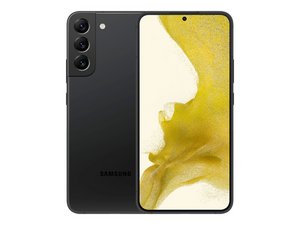

Shows thin green line on screen
On slightly right of my phone thin green line appears how to removed this
Is this a good question?
Score
0
On slightly right of my phone thin green line appears how to removed this
Is this a good question?
Rep: 101.5k
 160
160
 89
89
 157
157
You're describing a damaged columnar row of pixels; that means the connection between the flex cable going to the screen and the glass the display circuits are printed on have been disrupted or damaged. Unfortunately with the kind of bonding used those errors are not fixable and the only solution is to replace the screen.
iFixit has a guide to that repair for you right here.
Samsung Galaxy S22 Plus Screen and Battery Assembly Replacement - iFixit Repair Guide
In this guide it's assumed you've purchased a genuine Samsung screen replacement, which comes with the battery preinstalled. However, if you're looking at an aftermarket screen without a battery, you'll want a different guide that includes instructions on removing and replacing the battery like this one.
Manuals / Samsung Galaxy S22+ / Full Screen - Nobody Calls Me Chicken
It is also possible to replace just the screen without the midframe, but that process requires a completely different set of instructions. You can generally find video guides for those kind of repairs on YouTube.
Was this answer helpful?
Samsung s22 plus green line issue
Was this answer helpful?
You have the same problem as the original question, and the answer is exactly the same as the one I gave before; you will need to replace your screen.
My phone screen problm.
1green line and 1 pink line issue
What the solutions
Was this answer helpful?
You have the same problem as the original question, and the answer is exactly the same as the one I gave before; you will need to replace your screen.
Past 24 Hours: 7
Past 7 Days: 17
Past 30 Days: 86
All Time: 611


