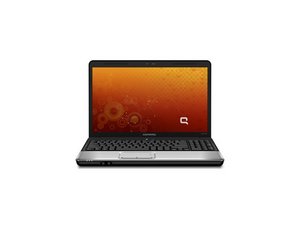

Why is my laptop overheating
Why is my laptop overheating
Is this a good question?
Score
0

Rep: 856.5k
 1.4k
1.4k
 969
969
 2.4k
2.4k
@watkingrish you did not tell us what you have already checked. Usually this can be caused by bad fans, clogged fans, clogged air inlet vents or even bad thermal paste. This model is a bit of a pain since it disassembles from the top. Once you have the top cover removed you can clean the inside of the laptop with a soft brush and a few puffs of compressed air. Once that is done, turn it on and see if that helped.
If all of that turns out okay, it's time to consider replacing the fan and the thermal paste. (In all honesty, I would already do all of that while I have the computer apart. It might sound wasteful if the fan does not really need to be replaced but it is actually quite old and will eventually fail anyway. Might as well do it now :-)
Use these guides Compaq Presario CQ60 to work on your laptop. Of course, you can also use the HP CQ60 SERIES MAINTENANCE AND SERVICE. Page 84 will tell you how to remove the fan/heat sink assembly. Here is a generic guide on how to replace the thermal paste How to Apply Thermal Paste
Was this answer helpful?
Past 24 Hours: 0
Past 7 Days: 4
Past 30 Days: 13
All Time: 98
