Free Shipping on Domestic Orders $75+

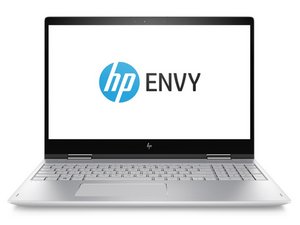
Repair guides and disassembly information for HP's Envy line of laptops.

keyboard still fails to respond

even with the hp update the built-in keyboard for the hp envy x360 laptop still stops responding even after the update was complete and need assistance as it is !#^&^$^ me off as i need the keyboard to work with images creation of screenshots and even editing videos

Answer this question I have this problem too

Is this a good question?

Score 0
Add a comment

2 Answers

If your HP Envy x360 keyboard still stops responding after updates, try this:

First, hard reset: power off, unplug charger, hold Power for 15 seconds. Restart.

Next, open Device Manager → Keyboards, uninstall the keyboard driver (and HID Keyboard Device if listed), then restart to reinstall automatically.

Disable Filter Keys (Settings → Accessibility → Keyboard).

Update or reinstall the HP Hotkey / System Event Utility from HP Support.

Boot into BIOS (F10 at startup) — if the keyboard fails there too, it’s likely hardware (loose ribbon cable or failing keyboard). In that case, reseating or replacing the keyboard assembly may be required.

Was this answer helpful?

Score 0

1 Comment:

where is the ribbon cable for the keyboard for the hp envy x360 laptop as i checked but could not find it

by

Add a comment

Try the basics first: Get a USB keyboard and see if the bad keys work. If the keys work in Windows on the USB keyboard, the keyboard is almost certainly failing. However, you can confirm it with the HP PC diagnostics: https://support.hp.com/us-en/help/hp-pc-... -- the UEFI fallback will not work as it's basic and only meant to do basic testing if you erased the machine, got it used and someone else did a full wipe or the drive was replaced. If your machine kicks back to the UEFI version, it was removed at some point - make a bootable USB or reinstall it with the link provided.

Once you are in, go under Components>Keyboard, and then press every key. If you do not get it the first time with a firm press, the key in question is 100% bad if you do it on the internal one.

The bad news is HP welds it into the palmrest on newer models, so you have to replace the entire upper case and it's not a cheap repair :-(. We will need the model to locate the part#, but I can tell you this: Budget for a ~$100+ parts cost if the machine is relatively new. That's fine for a recent machine, but the good thing is many surplus models are so old if you look for a NOS board or a used donor with a good keyboard, you can save a lot of money.

Was this answer helpful?

Score 0
Add a comment

Add your answer

Matt will be eternally grateful.
View Statistics:

Past 24 Hours: 0

Past 7 Days: 5

Past 30 Days: 34

All Time: 104