🛠️ Troubleshooting Steps
1. Update firmware
• Ensure both the Switch system and Joy-Cons are updated via System Settings → Controllers & Sensors → Update Controllers.
2. Reduce interference
• Move away from routers, laptops, or other Bluetooth devices when testing.
• Try in a different room to rule out environmental interference.
3. Test with another Joy-Con
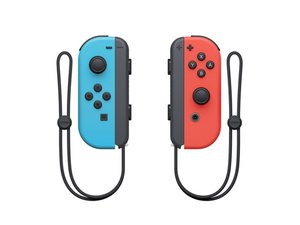
• If another right Joy-Con works fine at distance, your unit’s antenna is likely faulty.
4. Inspect/repair antenna
• The internal antenna is a small wire soldered to the Joy-Con board. If damaged, it can be resoldered or replaced.
• DIY fix: Some users add a small wire extension to improve reception, but this requires soldering skill.
5. Contact Nintendo support
• If under warranty, Nintendo will repair or replace the Joy-Con.
• Out of warranty, repair shops or replacement Joy-Cons are the practical option.
The right Joy-Con’s antenna design is weaker than the left, so if yours only works within ~1 meter, it’s almost certainly an antenna fault or interference issue. If firmware updates and interference checks don’t help, you’ll need either a repair (antenna resolder/replacement) or a new Joy-Con.

 1
1 
 17
17  19
19 