
 2
2  1
1 Replacement Battery Not Charging - Boot Loop
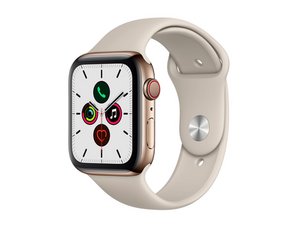
I installed the new iFixit battery on my wife's Apple Watch Series 5 40mm. It appears that the new battery is completely dead. After placing on the charger, it displays the apple logo for a few seconds, goes completely black then displays the apple logo again. It just keeps looping and never fully boots or shows that it's charging. I replaced with the original battery and it boots fine. What can I do?
Is this a good question?
Score
5

 6
6 


3 Comments
Well, iFIxit sent me another battery and still no luck. Same exact thing. It seems that it's not even plugged in to the watch. Just shows the apple logo for several seconds, goes dark then loops to the apple logo again. And I can still reinstall the worn out OEM and it charges and boots normally. I didn't mention in the previous post that I've tried three different batteries from Amazon. Two the leads just fell off and the third was doing the exact same thing. It's crazy to think that this many batteries could be bad! I'm stuck. What can I try to get it to work? I really can't believe I might need to trash a perfectly good watch because I can't find a battery to work.
by Robert Rackley
I ordered battery from AliExpress 6 months ago but didn't install it until today . It is doing the same thing as you described. I think my battery got over discharged during the 6 months. The battery you got could suffer the same issue as the seller might stocked it for quite a while. I'll leave it on the charger overnight to see if it recovers.
by Qiliang Zhu
Hi, did you end up finding a battery that worked for you? I've had the same issue with the two iFixit sent me and I'm debating requesting another replacement. Thanks.
by Matt B