
 1
1 Flex I/O Board Data Cable removal clarification
Hi everyone,
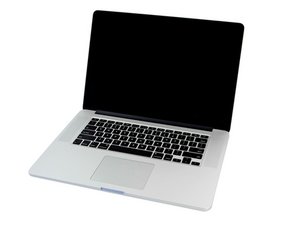
I’m working on a MacBook Pro 15" Retina Mid 2014 (MacBookPro11,3) that has been freezing and shutting down repeatedly. The crashes happen more often when the laptop is moved, if it's on a desk it works.
After analyzing multiple kernel panic reports (panic: initproc exited, with repeated “Root disk errors: Could not recover SATA HDD after 5 attempts”), ChatGPT told me it strongly points to a failing Flex I/O Board Data Cable (the belt-like ribbon cable, not the rigid plastic I/O cable), as per below image:

I’m trying to replace this cable, but I’m having trouble finding a clear step-by-step guide or video that shows how to remove and reinstall it without removing the logic board. I looked everywhere and I couldn't find it.
From what I understand so far:
- The cable has two different connector styles:
- One end (I/O board side) is a standard ZIF connector with a metal retaining flap, which I can access and open normally.
- The other end (logic board side) is partially hidden under the logic board and appears to also have a ZIF-style connector, but the flap is not accessible unless the logic board is removed.
- Based on research and advice I received from ChatGPT, the intended removal method does not require opening the hidden flap:
- After disconnecting the accessible I/O board end, the cable should be removed by sliding it laterally (parallel to the logic board) from the I/O board side toward the batteries / a nearby screw, by only a few millimeters.
- Sliding it this way should allow the logic-board end of the cable to disengage from the ZIF socket even with the flap still closed, since the flap prevents vertical lift but not horizontal withdrawal.

- This would explain why ChatGPT told me this operation doesn't require logic board removal for Flex I/O cable replacement, even though logic board removal guide I found on this website mention flipping the retaining flap (step 34).
Before proceeding, I’d like to double check:
- Is this sliding method correct for removing the Flex I/O Board Data Cable on a Late 2013 / Mid-2014 15" MBP without removing the logic board?
- Is it expected that the cable feels tight at first and only slides 2–3 mm before coming free?
- Are there any photos, videos, or firsthand confirmations showing this exact step?
I want to avoid forcing anything or damaging the logic board socket, so any clarification from someone who has done this repair would be greatly appreciated.
Thanks in advance!

Is this a good question?

 3
3 
