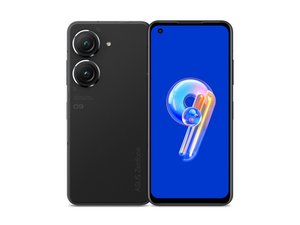
https://youtu.be/Ctb-GsFZOEU?si=CfVoLPnc...
This YouTube video here covers the basic disassembly, you'll only need up to about 1:10.
The cable for both the SIM card and the screen haptics is the orange ribbon cable furthest from the cameras. With a hard enough fall, this cable will simply pop loose. You know this is the issue if your SIM card stops reading, you have no mobile network at all, AND your haptic response has stopped working.
You should not have to remove any graphite tape to fix this.
Just identify the cable connection that has come loose, and gently reconnect the cable. Be careful to make sure you align all the pins correctly. You should feel a nice click when the cable is reattached.
If the cable is connected at this top end, you may need to check the other connection port below the speaker assembly, found at 3:28 in the linked video. Undo the screws and gently remove the assembly to expose the other end of the SIM & haptics cable. Again, check the connection and carefully reattach if loose
I've done this fix four or five times with no issue over the last 3 years. Once haptic response is back on your touch screen, you know you've fixed the error.
If you have no mobile phone reception, but you do still have haptic (vibration) response on your touch screen, you may have a different issue with your antenna or SIM card / reader. That would be a more complex fix I can't help with unfortunately.