Free Shipping on Domestic Orders $75+

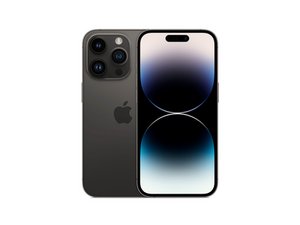
Released September 16th, Apple's "smaller" flagship smartphone features a 6.1" ProMotion OLED, a triple-lens rear camera system, 5G, and a newly designed "Dynamic Island" around the front-facing camera and top sensors. Successor to the iPhone 13 Pro.

iPhone 14 Pro Stuck in Apple Logo Boot Loop

I have a question about the Apple logo boot loop on my iPhone 14 Pro. The symptom is a loop interval of about 3 seconds. After looping around 20 times, it enters recovery mode.

Yesterday, I left my phone untouched for about an hour after using it, and when I checked it again, it was powered off. When I turned the power back on, it fell into the Apple logo boot loop.

I don't have a backup and don't want to factory reset it. I have already tried a force restart, OS recovery preserving data via 3uTools, and Fix Flash (both iTunes mode and 3uTools mode), but the issue wasn't resolved.

I suspect it might be related to the proximity sensor. What do you think?

Answer this question I have this problem too

Is this a good question?

Score 0
2 Comments

Looping after 3 seconds is usually a power issue. Replace the battery

by

@imicrosoldering Do you have a source?

by

Add a comment

3 Answers

Most Helpful Answer

A 3-second Apple logo boot loop on an iPhone 14 Pro that eventually drops into recovery mode is very unlikely to be caused by the proximity sensor—that component is only initialized later in the boot process and normally wouldn’t prevent iOS from loading. Given that the phone powered off while idle and now fails to boot even after a data-preserving restore and Fix Flash, the symptoms point more strongly to a hardware fault, most commonly the power management IC, logic board instability, storage (NAND) errors, or a failing battery or battery data line. A repeating short boot cycle often indicates the phone is failing hardware checks during early boot and restarting as a safety response. Unfortunately, if recovery-mode restores that preserve data cannot complete, software is largely ruled out, and factory reset would be the last software test—but if that also fails, professional board-level diagnosis is required. If your data is critical, take it to a reputable microsoldering repair shop that offers data-preservation repairs, and avoid further flashing attempts to reduce the risk of permanent data loss.

Was this answer helpful?

Score 2
Add a comment

Well you can checkout the following video; https://www.youtube.com/watch?v=5h1xSqEg...

Was this answer helpful?

Score 0
Add a comment

To confirm whether it is the proximity flex just disconnect it and the phone should then turn on. You may need to use 3uTools to kick it out of recovery mode. If it does turn on the phone will restart every 2-3 minutes without this flex connected. Once you replace it with a woking flex then it will work fine again without any restarts.

Was this answer helpful?

Score 0
Add a comment

Add your answer

what will be eternally grateful.
View Statistics:

Past 24 Hours: 4

Past 7 Days: 26

Past 30 Days: 136

All Time: 503