
Free Shipping on Domestic Orders $75+

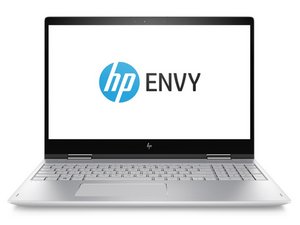
HP Envy x360 is a line of laptops made by the company since 2014. They feature a touchscreen and a fully rotating display.

Screen not turning on after replacement

So, my hinge broke off of the back cover on my HP envy x360 15ey0002nc about two months ago, I tried to open the laptop up and in the process broke the screen, which already had the glass broken from closing the laptop with the broken hinge.

After waiting for all the parts to be shipped I finally got to replacing the back cover and the screen, I transferred all the cables and components to the new back cover, but when I connected the screen and power the laptop back on the new screen wouldn’t turn on. When I tried putting the old screen back just to see if it lights up it also didn’t work.

An important thing to note is that during the replacement of the screen this small (same size as the one in the screen bezel) magnet just appeared out of nowhere and I don’t know where it came from. Anyway I trued restarting the laptop, resetting the BIOS, even updating the graphics drivers and nothing seems to help. I also wanna mention that with an external monitor the laptop works fine and everything else is working.

i came across a post on Reddit talking about the hall sensor cutoff switch for the screen, that’s normally used to detect when the laptop is closed to turn of the screen, and that it might be stuck in the off position and that’s why the screen isn’t working. However I haven’t been able to locate the hall sensor, even though I know where the magnet in the screen bezel is. Would anytime be able to help me fix this issue?

Answered! View the answer I have this problem too

Is this a good question?

Score 0
Add a comment

1 Answer

Chosen Solution

Hi @atjov_david

With the laptop turned on, try shining a flashlight at an angle close to the screen and check if you can see any images at all on the screen.

They will be very faint if they are there, so trying this in a darkened room may help.

If you can see images then there's a backlight problem. Either a faulty backlight power supply, faulty LVDS cable/cable connection or a faulty screen.

It could be the missing magnet so try running the magnet (or a different one) around the edges of the keyboard/top panel (where the screen bezel would would come close to when the lid is closed) and check if the screen turns on or not. Usually though the magnet is used to turn the display off i.e. lid closes and the magnet operates a magnetic switch on the motherboard. Lid opens and switch releases.

If the magnet does affect the switch then the location of the switch is under where you're holding the magnet on the top panel.

If you can't see any images, then it's a faulty LVDS cable/cable connection or a faulty screen.

What is the model number of the motherboard (printed on the board) in case the schematics may need to be found if a replacement board component part is required?

Update (01/18/26)

@atjov_david

I couldn't find the schematic for your motherboard, but since an external monitor is working OK I don't think that the problem is on the motherboard

Not seeing an image with a flashlight is a worry as this indicates a problem with the display cable or the LCD panel.

You may have got the wrong LCD panel or EDP (video) cable. The HP part number for the LCD panel should be found somewhere on the back of the panel itself. You have to remove it of course from the lid cover to see it. Sometimes that part number for the EDP cable is on the cable itself, but it might be on the LCD panel end and not the motherboard end of the cable.

I couldn't find the exact service manual for your model, but here's the maintenance and service guide taken from the support page for a 15-ey0000 laptop which should be nearly the same.

On the bottom of p.42 (47 of 95) it shows how to remove the display assembly

On p.13 (18 of 95 pdf) Item #1 it shows the HP part numbers for all the various LCD panels that can be used in the laptop.

Also the LCD cable comes in a kit and it is HP part # N14743-001 Check if this number is on the cable you got. Note: The link was only to show you an image of the cable that's all. It is commonly used in other HP models as well.

Was this answer helpful?

Score 2

13 Comments:

Hi @jayeff,

Thank you very much for the answer to my question. I have had a lot of things going on in the past few months, so I havent been able to get to fixing my laptop, so in the meantime i was using it only with ans external monitor which worked great, but it kinda sucks that I can't take it anywhere with me on the go.

As for you suggestions, I tried the flashilight in an otherwise completely dark room and saw nothing on the screen – not even faint images. About the magnet, which i really thought could be the problem from that Reddit post, I tried running the magnet itself an even a different one around the whole body of the laptop and it had no effect – the screen did not unfortunately turn on.

by

I have also tried ordering a new display cable, and it didn't seem to work either, but i honestly don't really know that much about the parts, so it is possible i replaced the wrong one even though I tried to do some research (there are two that go from the main motherboard up throught the hinges to the display panel). Also one more thing I'm not really sure about is this small (maybe like 3 x 4 cm) board that was just sitting there on the odl display panel with one of the display cable's connectors pluged into it. However the new screen didn'T come with such a board and i couldt find any documentation on it's function, so I just left it pluged in. Was that the right call?

The model number of the motherboard as far as I can tell is IPB51 LA-M023P Rev: 1A.

by

Hi again @jayeff,

Thanks for updating your answer with response to the information I provided. I am sorry for not getting back to you earlier. I have read your updated answer and I took the folloeing steps.

Firstly I was able to find the exact support page for my model of laptop: https://support.hp.com/au-en/product/set... and from it the maintenance and service guide. Though that did not help much because a) it leads to the same generic guide for the 15-ey0000 series that you linked to and b) that guide for some reason doesn't seem to reference the correct parts corresponding to my laptop...

However I did search for my laptop on HP PartSurfer (https://partsurfer.hp.com/ with the Product code 732Z1EA) where I found the part number for the replacement display to be N09667-001 and after checing the listing of the one i bought i seems to be N09665-001. So I am wondering if that may be the issue.

by

Based on the part number from HP PartSurfer I found this Ebay listing https://www.ebay.com/itm/297122912015 for a complete replacement of the display, including the back panel, all the cables and the hinges. Do you think it is the right choice? I figured this would leave me with little to no room to mess something up again, as I would just have to plug in the two cables and screw in the hinges and I would be done. Thank you so much for all you help so far, I really apreciate you coming back to help me even though it always takes me a long time to respond.

by

@atjov_david

Given that the display part numbers in the service guide bear no relation to what is shown by Partsurfer (which is for the exact model), you would think that Partsurfer is correct.

Maybe the best option is to disassemble the laptop and look for a part number on the back of the LCD panel itself to verify what the part number actually is..

Different part numbers do mean that they're not the same otherwise they would use parts having the same number.

If N09667-001 is the correct number then at least you've found a supplier that offers 30 days return if it still doesn't work for whatever reason.

by

Show 8 more comments

Add a comment

Add your answer

Vojtěch Kubrycht will be eternally grateful.
View Statistics:

Past 24 Hours: 8

Past 7 Days: 44

Past 30 Days: 117

All Time: 350
