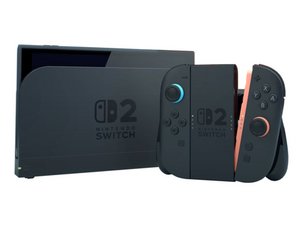

Using Switch 2 without any Bluetooth when docked?
With the first generation of Switch (which I’ll call “Switch 1”), it is possible to use the console in dock mode (plugged to a TV) while preventing the console to emit Bluetooth. As documented there in the last two comments, all you need to do is use only a wired controller and enable the setting that forces it to communicate with the console via its cable.
I’m wondering if the same thing could be done on Switch 2.
The user manual says that, when docked, the console always activates its Bluetooth antenna. This behaviour is identical to Switch 1. However, I suspect it does not emit any signal as long as no wireless controller tries to communicate with it. This is how Switch 1 works, thus enabling to play in docked mode without any Bluetooth.
I contacted customer support at Nintendo. Twice. But the persons I got in touch with did not understand my question, and replied that I “just need to turn off Bluetooth”, which is impossible when the console is plugged to a TV (as Nintendo’s own user manual says).
A friend of mine confirmed that the setting to force wired controllers to communicate via their cable is still present on Switch 2. So the only remaining question really is to know whether the Bluetooth antenna stays silent as long as not wireless devices tries to communicate with it, exactly as Switch 1 did.
Thanks for any help!
Is this a good question?

 20
20  19
19  35
35 
Hey dude, did you find that connecting a wired controller stopped the bluetooth transmitting?. I just purchased a switch 1 and would like to stop bluetooth transmitting and it would be nice to know if when I buy a switch 2 I can also stop the bluetooth transmitting.
by Monkey G
Hi!
You cannot turn off the Bluetooth for a Switch 2. The only way is to put it in Airplane mode, but this will disable Wi-Fi as well. May I ask why you want to turn the Bluetooth off? Thank you!
by koppie007
Just personal reasons. Apparently when on airplane mode it will still send out a slight signal, it does not turn off completely. Do you know if this is correct or not?.
by Monkey G
Nope, should disable all the signals. Due security meanings (like in Airplanes) it's not allowed to transmit or receive any data signal when turned on. This should be related to every device out there as it could be in conflict with security implications.
Regarding iPhones, when Airplane mode is turned on, you can still turn on Bluetooth, Wi-Fi, ect apart from it. But this requires manual input. Again, this is not recommended in some cases.
For the Switch 1 or 2, it should disable all communication options.
by koppie007
Ok, thanks but can you do that when it is docked?.
by Monkey G
Show 3 more comments